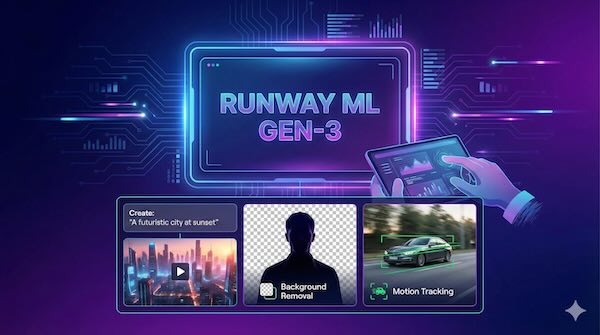
Runway ML has established itself as one of the most comprehensive AI-powered creative platforms for video generation and editing. Founded in 2018 as a research project at New York University, the platform now serves everyone from indie filmmakers and content creators to major Hollywood studios, with partnerships including Lionsgate for pre-visualisation and VFX work.
What is Runway ML?
Runway ML is a cloud-based platform that combines AI video generation with professional editing tools. The platform operates entirely in a browser, requiring no software installation or specialised hardware. Users can generate videos from text prompts, transform images into motion, and apply AI-powered editing effects that would traditionally require extensive manual work or expensive VFX software.
The company has received backing from tech giants including Google, Nvidia, and Salesforce, achieving a $1.5 billion valuation. Its Gen-3 Alpha model was recognised in TIME's 200 Best Inventions of 2024 for its ability to create 10-second clips from text, image, or video prompts.
Current Model Generations
Gen-4.5 (Latest)
Released in late 2025, Gen-4.5 represents Runway's most advanced text-to-video model. It delivers improvements in physical accuracy, visual precision, and prompt adherence. Objects move with realistic weight and momentum, liquids flow with proper dynamics, and fine details like hair strands remain coherent across frames.
Gen-4.5 excels at rendering complex multi-element scenes with precision, handling physical interactions with believable collisions, and generating expressive characters with nuanced emotions. Each second of video generation costs 25 credits.
Gen-4
Launched in March 2025, Gen-4 focuses on character and scene consistency. Users can maintain consistent character appearance, clothing, and features across multiple shots using reference images. This breakthrough addresses a longstanding challenge in AI video where characters would morph or change appearance between scenes.
Gen-4 requires an input image and creates videos in 5 or 10-second durations. The standard model costs 12 credits per second, while Gen-4 Turbo offers faster generation at 5 credits per second.
Gen-3 Alpha
The Gen-3 family, released in June 2024, marked a significant leap in motion realism, frame consistency, and temporal control. Gen-3 Alpha can create 10-11 second clips from text alone or from input images, with support for advanced camera controls, keyframing, and video extensions up to 40 seconds total.
Gen-3 Alpha Turbo provides a faster, more affordable option at roughly 7 times the speed and half the credit cost of the standard model, though it requires an input image rather than text-only generation.
Key Video Generation Features
Text to Video
The core text-to-video feature allows users to describe a scene and generate corresponding footage. Effective prompts follow a structure of camera shot, subject, action, and environment. For example: "A cinematic aerial shot of a surfer riding a huge wave at sunset, captured on a drone camera with slow-motion water spray."
Image to Video
Users can upload an image to act as the first or last frame of their video generation. The text prompt then focuses on describing the desired motion rather than repeating visual details already present in the image.
Video to Video
This feature allows users to change the style of existing videos using text prompts or reference images. It's useful for applying artistic treatments or transforming footage into different visual styles.
Act-One and Act-Two
Act-One allows users to transpose their own performances onto characters by uploading a driving video and character image. Act-Two, released in July 2025, brings professional motion capture capabilities to creators without requiring expensive mocap equipment, using only a smartphone-captured performance video.
Aleph
Released in July 2025, Aleph enables post-generation editing through text prompts. Users can add elements, adjust lighting, remove objects, or transform visual styles without regenerating entire videos. Prompts like "add rain to this scene" or "change lighting to golden hour" can modify existing footage while maintaining temporal consistency.
Editing and Post-Production Tools
Background Removal
Runway's green screen tool allows users to remove backgrounds from video clips without physical green screens. Users paint over the subject they want to keep, and the AI handles edge detection and masking. The tool works best with well-defined subjects and stable camera movements.
For current workflows, Runway recommends using Gen-4 Image References for background adjustments on images, and Aleph for video background removal.
Video Inpainting
The inpainting feature removes unwanted objects from footage. Users draw around elements they want to eliminate, and the AI fills the space with surrounding visual information. This proves useful for removing distractions, cleaning up shots, or eliminating unwanted people or objects from scenes.
Motion Tracking
Runway's motion tracking allows users to track objects in footage and attach graphics, text, or effects that follow the movement. This feature automates what would traditionally require manual keyframing every frame in software like After Effects.
User reports indicate that Runway's AI-powered tracking can reduce post-production time by 40-60% compared to manual techniques.
Motion Brush (Gen-2)
Available in the Gen-2 model, Motion Brush allows users to paint specific areas of an image and control their movement independently. Users can assign different motions to different elements, with sliders controlling horizontal, vertical, and proximity movement as well as intensity.
The tool offers five separate brushes for controlling multiple areas within a single image, each with independent direction and speed settings. Motion Brush works alongside camera controls, enabling complex animations where subjects move while the camera simultaneously pans or zooms.
Super Slow Motion
The platform can convert standard footage into smooth slow motion without the ghosting and artifacts that typically result from simply reducing playback speed. This uses AI frame interpolation to create missing frames.
Upscaling
Videos can be enhanced to 4K resolution directly within the platform. Upscaling costs 2 credits per second of video processed.
Use Cases
Short-form content creation: Generating clips for social media, advertisements, or promotional materials without filming.
Pre-visualisation: Filmmakers and production studios use Runway to create concept shots and visualise scenes before committing to expensive production.
VFX and post-production: Background replacement, object removal, and motion tracking for indie productions that lack traditional VFX budgets.
Product videos: Creating professional product demonstrations and marketing content with AI-generated scenes and effects.
Artistic and experimental work: Exploring visual styles, abstract animations, and creative concepts that would be impractical or impossible to shoot traditionally.
Pricing Structure
Runway uses a credit-based system where different actions consume varying amounts of credits:
Free Plan: 125 credits (one-time), limited to 720p exports with watermarks, maximum 3 projects.
Standard Plan: $12-15/month, 625 monthly credits, 1080p exports, no watermark.
Pro Plan: $28-35/month, 2,250 monthly credits, custom voices for Lip Sync and Text to Speech.
Unlimited Plan: $76-95/month, unlimited video generation in "Explore mode" at relaxed processing speeds, plus 2,250 credits for priority generation.
Enterprise: Custom pricing for large teams with SSO, enhanced security, and dedicated support.
Credit consumption varies by model and duration. A 10-second Gen-4 video costs approximately 120 credits at standard rates, while Gen-4 Turbo reduces this to around 50 credits.
Limitations
Like all current video generation models, Runway's systems have known limitations:
Causal reasoning: Effects sometimes precede causes (such as a door opening before the handle is pressed).
Object permanence: Objects may disappear or appear unexpectedly between frames.
Complex motion: Fast action and intricate movements can produce artifacts or physically implausible results.
Human faces in close-up: Detailed shots of people moving remain challenging for AI generation.
Getting Started
New users can begin with the free plan to explore the interface and basic features. The platform operates through a web browser at runwayml.com, with mobile apps also available for iOS. Projects, assets, and completed videos are stored in the cloud and accessible from any device.
For best results with text-to-video generation, Runway recommends clear, descriptive prompts that specify camera angles, subjects, environments, and movement. Starting with shorter clips and iterating on prompts before committing to longer generations helps conserve credits while refining outputs.