Series: Beginner's Guide to AI #19
Read Time: 14 minutes
Level: Beginner
Prerequisites: None - designed as a standalone introduction
Key Takeaways
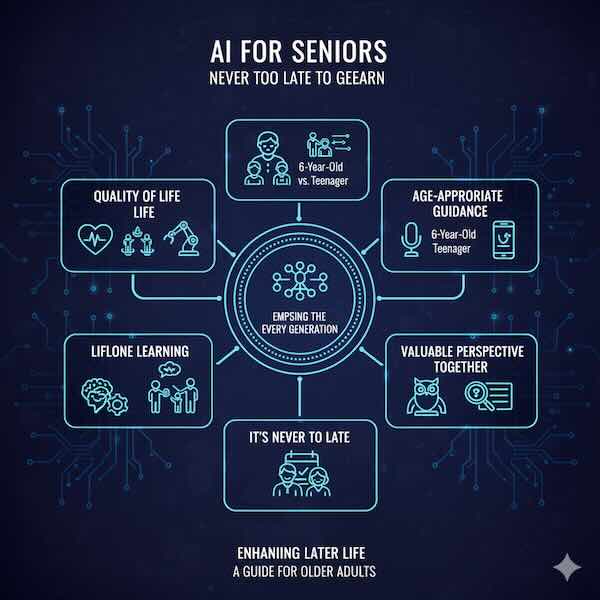
- AI can significantly improve quality of life for older adults through health monitoring, social connection, and daily assistance
- You don't need technical expertise - many AI tools are designed to be simple and voice-activated
- Learning AI keeps your mind sharp and helps you stay connected to family, especially grandchildren
- Age brings valuable perspective on technology that younger people often lack
- It's never too late to learn - thousands of seniors are successfully using AI every day
Perhaps you've heard your grandchildren talking about ChatGPT. Maybe you've wondered what "Alexa" does in your daughter's kitchen. Perhaps you're curious but intimidated by all this talk about artificial intelligence.
You might think: "I'm too old to learn this," or "Technology isn't for people my age," or "I don't need this—I've gotten along fine without it."
Here's the truth: AI isn't just for young tech enthusiasts. It's increasingly designed for everyone, including older adults. In fact, many AI applications can be especially valuable as we age—helping with health management, staying connected to loved ones, maintaining independence, and keeping minds active.
You've adapted to technology before. You learned to use a telephone when they became common. Perhaps you mastered a computer, email, or smartphone. AI is just the next step, and in many ways, it's easier than what came before because you can simply talk to it.
This guide is written specifically for older adults. It assumes no prior technical knowledge, uses plain language, and focuses on practical benefits. Whether you're 60, 70, 80, or beyond, AI offers tools that can enrich your life.
Let's explore AI together—what it is, how it can help you, and how to get started, one simple step at a time.
What Is AI? (In Plain English)
Before diving into how AI can help, let's understand what it actually is.
The Simple Explanation
Artificial Intelligence (AI) is software that can learn and make decisions without being told exactly what to do in every situation.
Think of it this way:
Traditional machines: Follow strict instructions. A washing machine does exactly what it's programmed to do, the same way every time.
AI: Learns from experience and adapts. Like how you learned to cook—not by following every recipe exactly, but by understanding patterns and adjusting based on results.
Common Examples You Might Know
Voice Assistants:
- Alexa (Amazon)
- Siri (Apple)
- Google Assistant
These understand spoken questions and respond helpfully. You talk to them naturally, and they figure out what you need.
Smartphone Features:
- Autocorrect and predictive text
- Photo organization (sorts pictures automatically)
- Voice-to-text for messages
- Spam call blocking
Other Everyday AI:
- Netflix suggestions for what to watch
- Email spam filters
- Online shopping recommendations
- Health apps on smartwatches
You might already be using AI without realizing it.
What Makes AI Special
Why it matters:
It understands natural language:
- No need to learn special commands
- Talk normally, like to a person
- Asks for clarification if confused
- Gets better at understanding you over time
It adapts to you:
- Learns your preferences
- Remembers previous interactions
- Personalizes to your needs
- Becomes more helpful with use
It can help with complex tasks:
- Answer detailed questions
- Explain difficult concepts
- Help write letters or emails
- Assist with research and learning
The key: AI makes technology more accessible by letting you use natural conversation instead of complicated menus and buttons.
Why AI Matters for Older Adults
AI offers specific benefits that can significantly improve daily life as we age.
Health and Wellness
AI can help you stay healthy and independent:
Medication Management:
- Voice reminders to take pills
- Track when you've taken medications
- Alert if you miss a dose
- Answer questions about your prescriptions
Health Monitoring:
- Smartwatches detect irregular heartbeats
- Fall detection and automatic emergency calls
- Blood pressure and glucose tracking
- Sleep quality monitoring
Medical Information:
- Explain medical terms and conditions
- Help prepare questions for doctors
- Understand test results
- Research symptoms (though always confirm with your doctor)
Fitness Support:
- Gentle exercise guidance
- Activity tracking and encouragement
- Adaptation to your abilities
- Progress monitoring
Example:
"Alexa, remind me to take my blood pressure medication at 8 AM every day."
The device will remind you daily, helping you stay on schedule.
Staying Connected
Combat loneliness and maintain relationships:
Easy Communication:
- Video calls with one voice command
- Voice-to-text for easier messaging
- Photo sharing simplified
- Group family chats
Social Engagement:
- Virtual book clubs
- Online classes and lectures
- Religious services streaming
- Hobby groups and communities
Family Connection:
- Share photos with grandchildren
- "See" family members far away
- Stay updated on family news
- Participate in grandchildren's lives
Example:
"Alexa, call my daughter on video."
See and talk to family members without typing or complicated menus.
Daily Life Assistance
Make everyday tasks easier:
Information Access:
- Weather forecasts
- News updates
- Cooking recipes
- General knowledge questions
Entertainment:
- Play your favorite music
- Audiobooks and podcasts
- Radio stations
- Games and puzzles
Practical Help:
- Shopping lists
- Appointment reminders
- Timers and alarms
- Finding lost items (with smart tags)
Example:
"Hey Google, what's the weather today? Should I bring an umbrella?"
Get instant, helpful information without reading small screens.
Mental Stimulation
Keep your mind active and learning:
Lifelong Learning:
- AI tutors for new subjects
- Language learning
- Historical research
- Exploring interests
Cognitive Exercise:
- Memory games
- Problem-solving activities
- Trivia and quizzes
- Creative writing assistance
Conversation:
- Discuss topics that interest you
- Ask questions anytime
- Explore new ideas
- Satisfy curiosity
Example:
"ChatGPT, tell me about the history of jazz music in the 1920s."
Learn about topics you're curious about at your own pace.
Maintaining Independence
Live independently longer:
Home Safety:
- Lights that turn on automatically
- Cameras you can check remotely
- Smoke/carbon monoxide detection
- Door locks you control by voice
Navigation:
- Directions when driving or walking
- Find nearby services
- Avoid getting lost
- Identify bus/train routes
Daily Tasks:
- Voice control for devices
- Automated routines (lights, temperature)
- Hands-free operation
- Simplified controls
Example:
Set up lights to turn on automatically at sunset so you don't navigate dark rooms.
Getting Started: Your First Steps
You don't need to learn everything at once. Start small.
Option 1: Voice Assistant (Easiest Starting Point)
Why start here:
- No typing required
- Natural conversation
- Immediate helpfulness
- Simple to use
Choosing a device:
Amazon Echo (Alexa):
- Very popular, lots of features
- Good for smart home control
- $30-100 depending on model
- Easy setup
Google Nest (Google Assistant):
- Excellent at answering questions
- Good integration with Android phones
- $30-100
- Simple setup
Apple HomePod (Siri):
- Works well with iPhones
- Good sound quality
- More expensive ($100+)
- Easy for iPhone users
What to buy:
Start with the basic model (around $30-50). You don't need the expensive versions to get started.
Setting it up:
- Plug it in
- Download the app (or ask someone to help)
- Follow voice instructions
- Start talking to it
First things to try:
- "What's the weather today?"
- "Set a timer for 20 minutes"
- "Play music from the 1960s"
- "What's today's date?"
- "Tell me a joke"
Building confidence:
Start with simple questions. As you get comfortable, try more complex requests. There's no wrong question.
Option 2: AI on Your Smartphone
If you have a smartphone, you already have AI:
iPhone users (Siri):
- Hold the home button or say "Hey Siri"
- Ask questions or give commands
- Built-in, no cost
Android users (Google Assistant):
- Hold the home button or say "Hey Google"
- Ask questions or give commands
- Built-in, no cost
What to try:
- "Call [family member's name]"
- "Text my son 'I'm thinking of you'"
- "Navigate to [address]"
- "Remind me to call the doctor tomorrow at 2 PM"
Advantages:
- Always with you
- No new device needed
- Free
- Connects to your contacts and calendar
Option 3: Computer-Based AI (ChatGPT)
If you're comfortable with a computer:
What it is:
- Website you visit
- Type questions, get answers
- Like having a knowledgeable assistant
- Free version available
How to access:
- Go to chat.openai.com
- Create a free account (email and password)
- Start typing questions
What makes it useful:
- Explains things simply
- Patient with follow-up questions
- Helps with writing
- Researches topics
- Never judges or rushes you
Example uses:
- "Explain how my smartphone camera works"
- "Help me write a letter to my congressman about Medicare"
- "What should I know about refinancing my home?"
- "Explain the plot of a book I'm reading"
Advantages:
- Very capable
- Good for complex questions
- Keeps conversation history
- Can help with writing tasks
Practical Applications for Your Life
Specific ways AI can help with real situations:
Managing Health Conditions
Scenario: You have diabetes and need to track blood sugar.
AI solutions:
- Health apps that track readings automatically
- Reminders for testing and medication
- Pattern analysis and alerts
- Voice logging: "Alexa, my blood sugar is 140"
Scenario: You have trouble remembering multiple medications.
AI solutions:
- Medication reminder apps with alarms
- Visual pill organizers with smart reminders
- Voice confirmations when you take pills
- Alerts if you miss a dose
Staying in Touch with Grandchildren
Scenario: Grandchildren live far away, hard to stay connected.
AI solutions:
- Simple video calling ("Alexa, call Emily")
- Photo sharing automatically from their phones
- Watching them grow through shared albums
- Voice messages easier than typing
Scenario: Want to understand grandkids' interests.
AI solutions:
- Ask ChatGPT about video games they play
- Learn about current trends and music
- Get gift ideas based on their age and interests
- Understand technology they use
Managing Your Home
Scenario: Difficulty adjusting thermostat, reaching light switches.
AI solutions:
- Voice control: "Alexa, set temperature to 72"
- Automated schedules (lights on at sunset)
- No getting up to adjust things
- Programmable routines
Scenario: Worried about security when away.
AI solutions:
- Cameras you can check from phone
- Smart doorbells showing who's there
- Automatic lighting to look occupied
- Alert notifications
Pursuing Hobbies and Interests
Scenario: Want to learn about family genealogy.
AI solutions:
- Research historical records and locations
- Understand old documents and handwriting
- Organize family information
- Create family trees and stories
Scenario: Interested in gardening but have questions.
AI solutions:
- Identify plants from photos
- Get planting and care advice
- Seasonal reminders
- Troubleshoot problems
Dealing with Scams and Fraud
Scenario: Worried about phone scams and fraud.
AI solutions:
- Spam call filtering (phone identifies likely scams)
- Email scam detection
- Research suspicious messages
- Ask AI: "Is this email a scam?" (paste it in)
AI can help identify:
- Phishing emails
- Too-good-to-be-true offers
- Pressure tactics
- Suspicious requests
Always verify with trusted sources, but AI provides quick initial screening.
Overcoming Common Concerns
You might have worries. Let's address them.
"I'm Too Old to Learn This"
The reality:
Thousands of people your age are successfully using AI. Age is not a barrier.
Why you can do this:
- You've learned new things your whole life
- You've adapted to technology before (phones, TV remotes, ATMs)
- AI is designed to be easier than previous technology
- You can take it as slowly as you need
- Mistakes don't matter—you can't break anything
Success stories:
- 80-year-olds using voice assistants daily
- Seniors taking online classes via AI
- Grandparents video calling grandchildren easily
- Older adults managing health with AI
The truth: If you can have a conversation, you can use AI. That's the whole point—it understands normal speech.
"It's Too Complicated"
The reality:
Basic AI use is simpler than many things you already do.
Comparisons:
Harder than AI:
- Programming a VCR (remember those?)
- Using multiple TV remotes
- Navigating complex phone menus
- Reading tiny instruction manuals
AI approach:
- Just talk naturally
- No buttons or menus
- Ask questions in plain English
- Get immediate help
Start simple:
You don't need to understand how it works internally. You don't understand how your car engine works, but you can drive.
Same with AI—you can use it effectively without technical knowledge.
"I Don't Want to Be Spied On"
Valid concern. Let's address privacy:
What to know:
- AI devices do collect some data
- You can control privacy settings
- Simple steps protect your information
- Benefits often outweigh risks when used wisely
Privacy protection:
Don't share:
- Social security numbers
- Credit card information
- Banking passwords
- Medical details (unless using secure health apps)
Do use for:
- General questions
- Entertainment
- Communication with family
- Non-sensitive tasks
Settings to adjust:
- Turn off microphone when not in use (mute button)
- Review and delete conversation history
- Opt out of data collection where possible
- Use privacy-focused alternatives
Balance:
Complete privacy means missing helpful features. Most seniors find a comfortable middle ground.
"What If I Make a Mistake?"
The beautiful truth:
You can't really break anything by asking questions or giving voice commands.
What happens if:
You say something wrong:
- AI asks for clarification
- You can rephrase
- No harm done
You accidentally trigger something:
- Easy to undo
- Can turn devices off
- Simple to fix
You don't understand the response:
- Ask AI to explain differently
- Request simpler language
- Try rephrasing your question
Experimentation is good:
The best way to learn is trying things. Mistakes are how we learn. AI is patient and won't judge.
"I Can't Afford Expensive Technology"
Good news:
Many free or inexpensive options:
Free:
- Smartphone assistants (if you have a phone)
- ChatGPT free version
- Email spam filtering
- Many health apps
Inexpensive:
- Basic voice assistants: $30-50
- No monthly fees for basic use
- Library computers with AI access
- Senior center technology programs
Expensive options not required:
You don't need the latest iPhone or premium services. Basic, affordable options work great for learning and daily use.
Financial assistance:
- Some insurance covers health monitoring devices
- Libraries offer free technology access
- Senior programs provide training and equipment
- Family members might give as gifts
Learning Resources and Support
You don't have to learn alone.
Senior-Friendly Learning Options
In-Person:
Senior Centers:
- Many offer technology classes
- Peer learning environments
- Hands-on instruction
- Social aspect
Libraries:
- Free technology workshops
- Computer access
- One-on-one help
- Book clubs using tech
Community Colleges:
- Affordable classes
- Senior discounts often available
- Structured learning
- Certificates available
Apple Store/Best Buy:
- Free workshops
- Product demonstrations
- Beginner-friendly
- No purchase required
Online (at Your Pace):
YouTube:
- "AI for Seniors" tutorials
- Step-by-step videos
- Watch and rewatch as needed
- Free
Senior Planet:
- Technology training for older adults
- Virtual and in-person classes
- Supportive community
- Affordable
AARP:
- Technology guides
- How-to articles
- Member resources
- Senior-focused
Getting Help from Family
How to ask:
Be specific:
- "Can you show me how to use Alexa?"
- "Help me set up video calling with the grandkids"
- "I want to learn about ChatGPT—can we try it together?"
Regular sessions:
- Schedule weekly practice time
- Ask them to be patient
- Take notes if helpful
- Practice between sessions
What to request:
Initial setup:
- Create accounts
- Connect devices
- Install apps
- Configure settings
Teaching sessions:
- Basic functions
- How to ask questions
- What it can and can't do
- Troubleshooting common issues
Ongoing support:
- Phone help when stuck
- Periodic check-ins
- Updates and new features
- Answering questions
Making it easier for them:
- Have specific questions ready
- Take notes during instruction
- Practice what they teach
- Be patient with yourself
- Show appreciation
Finding Peer Support
Learning with others your age:
Benefits:
- Shared experiences
- No judgment
- Similar pace
- Mutual encouragement
Where to connect:
Local:
- Senior center groups
- Church or community groups
- Neighborhood clubs
- Adult education classes
Online:
- Facebook groups for seniors learning tech
- Forums and discussion boards
- Virtual classes with Q&A
- Zoom-based study groups
Starting your own:
- Invite friends to learn together
- Meet weekly to practice
- Share discoveries
- Support each other
Safety and Scam Protection
AI can help protect you, but you need awareness.
Recognizing AI-Related Scams
New scam techniques:
Voice Cloning:
- Scammers use AI to clone voices
- "Grandparent scam" sounds like grandchild
- Asking for emergency money
- Very convincing
How to protect yourself:
- Verify through known phone numbers
- Have code words with family
- Don't send money without confirmation
- Hang up and call them directly
Deepfakes:
- Fake videos that look real
- Supposed "celebrity endorsements"
- Fake news or political content
- Scams using fabricated evidence
How to protect yourself:
- Be skeptical of shocking videos
- Verify through trusted news sources
- Don't act on video evidence alone
- Check multiple sources
AI-Generated Scams:
- Convincing fake emails
- Personalized phishing attempts
- Sophisticated fraud schemes
- Impersonation of agencies
How to protect yourself:
- Never share sensitive info via email
- Verify sender through official channels
- Don't click suspicious links
- Contact organizations directly
Safe AI Use Guidelines
Good practices:
Verify Important Information:
- Don't trust AI for medical, legal, or financial advice
- Use as starting point, confirm with professionals
- Check facts from multiple sources
- When in doubt, ask a trusted person
Protect Personal Information:
- Don't share social security, credit cards, passwords
- Be vague about specific locations and routines
- Avoid sharing full names and addresses
- Keep financial details private
Use Trusted Services:
- Stick to well-known AI tools (Alexa, Google, ChatGPT)
- Download apps from official stores only
- Be wary of unknown or suspicious services
- Research before trying new AI tools
Stay Skeptical:
- If something seems too good to be true, it probably is
- Don't act on urgent requests
- Verify surprising claims
- Trust your instincts
Your Action Plan
Start today with manageable steps.
Week 1: Explore and Decide
Days 1-2:
- Read about AI options
- Decide what interests you most
- Talk to family about learning
Days 3-4:
- Watch beginner videos on YouTube
- Visit library or senior center for information
- Ask friends about their experiences
Days 5-7:
- Choose one AI tool to start with
- Arrange setup help if needed
- Set small, achievable goal
Week 2: First Steps
If starting with voice assistant:
- Set it up (with help if needed)
- Try basic commands (weather, time, music)
- Practice 5 minutes daily
- Build confidence
If starting with smartphone AI:
- Activate Siri or Google Assistant
- Try voice commands
- Send text by voice
- Make voice calls
If starting with ChatGPT:
- Create account
- Ask three questions daily
- Explore different topics
- Save interesting conversations
Month 1: Build Skills
Week by week:
- Add one new task each week
- Practice previous skills daily
- Ask family for help when stuck
- Celebrate small successes
Track progress:
- Keep simple journal
- Note what works
- Record questions for helpers
- Identify favorite features
Ongoing: Continuous Improvement
Regular practice:
- Use AI daily for something
- Try new features monthly
- Join learning community
- Share knowledge with peers
Stay current:
- Follow senior tech blogs
- Attend occasional workshops
- Learn about updates
- Explore new possibilities
Real Stories from Seniors
Others like you have succeeded:
Margaret, 76
"I was terrified of Alexa at first. My daughter set it up and I didn't touch it for a week. Then I tried asking about the weather. Now I use it every day—timers while cooking, calling my grandkids, playing my favorite big band music. Best part? I video call my son who lives across the country. I see my grandbabies growing up!"
Robert, 82
"After my wife passed, I was lonely. ChatGPT has become my companion for learning. I'm researching my family genealogy, and AI helps me understand old records and find information. It's given me a purpose and kept my mind active. I'm even teaching other seniors at our community center now."
Linda, 69
"I have arthritis and using my smartphone was getting difficult. Voice commands changed everything. I can send texts, make calls, set reminders for medications—all without struggling with tiny buttons. My rheumatologist is amazed at how consistently I take my medications now!"
Frank, 74
"Skeptical doesn't begin to describe me. But my kids convinced me to try. Started small with weather reports. Now I use it for shopping lists, managing my smart lights, even listening to audiobooks. The independence it gives me means I can stay in my home longer. That matters."
The Bottom Line
AI isn't just for young people or tech experts. It's a tool that can enrich your life right now—helping you stay healthy, connected, independent, and mentally engaged.
You don't need to understand the technology behind it. You don't need to learn everything at once. You don't need expensive equipment or technical skills. You just need curiosity and willingness to try.
Start with one simple thing. A voice assistant asking about the weather. A video call with a grandchild. A question to ChatGPT about a topic you're curious about. Take it one step at a time.
Your age is an advantage, not a barrier. You have wisdom, perspective, and life experience that younger people lack. You've adapted to change before—this is just one more adaptation.
It's never too late to learn. Thousands of people your age are using AI successfully. You can too.
The future is already here, and you have every right to participate in it. AI can help you live more fully, more independently, and more connected to the people and things you love.
Don't let fear or uncertainty hold you back. Take that first small step today.
You've got this.
Continue Your Learning Journey
Now that you understand AI basics, explore these topics:
- Guide #1: What Is AI? - More detailed explanation
- Guide #4: AI in Your Daily Life - Discover applications
- Guide #8: How AI Can Make Your Life Better - Practical benefits
- Guide #10: Getting Started with AI Tools - Hands-on guidance
- Guide #14: Your AI Privacy Guide - Protect yourself
- View All Beginner Guides - Complete learning path
Remember: It's never too late to learn something new. Start today.
This article is part of the SingularitySoup Beginner's Guide to AI series. Updated January 2026.