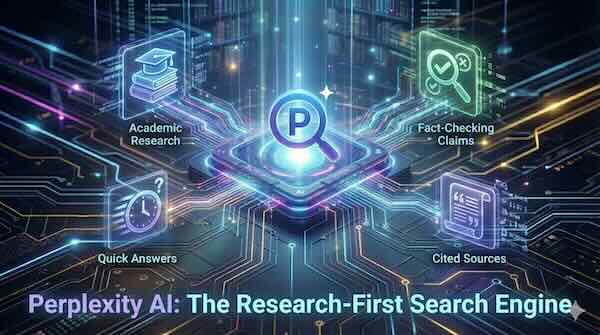
A guide to using Perplexity for research queries that require cited sources, including academic research, fact-checking claims, and getting quick answers with references.
What Makes Perplexity Different
Perplexity AI takes a fundamentally different approach to search. Rather than returning a list of blue links and leaving you to piece together information from multiple websites, it searches the web in real-time, synthesises information from multiple sources, and delivers a direct answer with numbered citations you can verify.
Every claim in a Perplexity response includes a clickable reference linking back to the original source. This transparency makes it particularly valuable for anyone who needs to verify information or build upon existing research—whether you're a student working on a thesis, a journalist fact-checking a story, or a professional preparing a report.
The platform now processes around 30 million queries daily, with approximately 29% of those queries related to research or academic purposes. This research-oriented user base reflects Perplexity's core strength: providing sourced, verifiable answers rather than generating content from a static knowledge base.
Understanding Perplexity's Search Modes
Perplexity offers several distinct modes designed for different research needs:
Standard Search provides quick answers with citations for straightforward questions. It's ideal for fact-checking, getting definitions, or finding specific information quickly. Response times are typically under a second for short queries.
Pro Search goes deeper, conducting more thorough research across multiple sources. It breaks down complex questions into smaller components, gathers relevant information from each, and synthesises a more detailed answer. This mode is particularly useful for questions requiring context from several different sources or perspectives.
Research Mode (formerly Deep Research) represents Perplexity's most powerful research capability. When activated, the system performs dozens of searches automatically, reads through hundreds of sources, and reasons through the material to produce comprehensive reports. Most research tasks complete within 2-4 minutes—what would take a human researcher several hours. The system achieved a 21.1% accuracy score on Humanity's Last Exam, a benchmark consisting of over 3,000 questions across more than 100 subjects, outperforming several leading AI models.
Focus Modes allow you to narrow your search to specific source types. The Academic focus prioritises peer-reviewed journals and scholarly articles, making it essential for literature reviews. Other focus options include Reddit, YouTube, and general web search.
Using Perplexity for Academic Research
Academic research demands verified sources and proper citations, and Perplexity's architecture supports both requirements through several key features.
Source Verification Built In Each response includes numbered citations that link directly to source material. You can click any reference to verify the claim, check the publication date, and assess source credibility. This transparency distinguishes Perplexity from chatbots that generate plausible-sounding answers without attribution.
Academic-Focused Searching Using the Academic focus mode prioritises results from scholarly databases, peer-reviewed journals, and research institutions. This filtering helps surface higher-quality sources for literature reviews and research projects.
PDF and Document Analysis Perplexity supports direct PDF uploads, DOI links, and arXiv references. When you provide a research paper, the system can summarise key findings, extract methodology details, and generate properly formatted citations. Pro users can request specific citation formats including APA, IEEE, Chicago, and MLA.
Research Workflow Tips
Start with a clear, specific question. Rather than asking "What is climate change?", try "What are the documented effects of ocean acidification on coral reef ecosystems since 2020?" Specific queries yield more targeted, useful responses.
Use follow-up questions to drill deeper. Perplexity maintains conversation context, so you can ask clarifying questions or request additional detail on specific points without restating your original query.
Create Spaces for larger projects. Spaces allow you to organise research by topic, upload relevant documents, set custom instructions (such as requesting specific citation formats), and collaborate with others. This feature helps maintain consistency across a long-term research project.
Important Caveats Always verify critical sources independently. While Perplexity has the lowest rate of incorrect citations among tested AI search engines, one study found errors or misattributed claims in roughly 37% of responses. For academic work, treat Perplexity as a research accelerator, not a replacement for reading primary sources. Click through to verify author names, publication dates, and claims before citing them in your work.
Fact-Checking Claims with Perplexity
Perplexity's citation-first approach makes it particularly effective for verifying claims and identifying misinformation. The platform has even been integrated into WhatsApp to help users fact-check forwarded messages.
How to Fact-Check Effectively
Frame your query as a verification request. Instead of asking "Is X true?", provide context: "Verify this claim: [paste the claim]. What do credible sources say about this?"
Ask for multiple perspectives. Request that Perplexity identify where sources agree and disagree on disputed topics. This approach surfaces nuance and helps you understand the strength of evidence on different sides.
Check the recency and authority of sources. Perplexity's real-time search means it can access current information, but you should still assess whether the cited sources are appropriate authorities on the topic.
Practical Applications
- News verification: Paste a headline or claim and ask Perplexity to verify it against established news sources
- Statistical claims: Request original data sources when encountering statistics in articles or social media
- Scientific claims: Ask for peer-reviewed studies supporting or contradicting health or science claims
- Historical facts: Cross-reference events, dates, and attributions against reliable historical sources
Perplexity's Fact Checker tool (available through its API) provides structured assessments including an overall rating (mostly true, mixed, or mostly false), a summary of findings, and individual claim analysis with explanations and sources.
Getting Quick Answers with References
Not every research task requires a deep dive. Perplexity excels at providing rapid, sourced answers for everyday information needs.
Best Practices for Quick Queries
Be specific but concise. Queries of 1-6 words typically yield the best results for straightforward questions. "Current UK interest rate" or "SpaceX Starship launch date" will return direct answers faster than longer, more conversational prompts.
Request specific formats when needed. If you need information structured a particular way—as a comparison table, a timeline, or a brief summary—include that in your query.
Use the standard search mode for speed. Pro Search and Research modes provide more depth but take longer. For simple factual queries, standard search delivers answers in under a second.
Common Use Cases
- Current events: Real-time search means Perplexity can answer questions about breaking news with up-to-date sources
- Technical definitions: Get clear explanations of concepts with citations to authoritative documentation
- Comparisons: Ask Perplexity to compare products, services, or approaches with sources for each claim
- Local information: Find business hours, location details, and services with direct links to verify
Pricing and Access
Perplexity offers a free tier that includes standard search, limited Pro Searches (five every four hours), and basic access to Research mode. This provides enough functionality to evaluate the platform and handle occasional research needs.
Perplexity Pro costs approximately $20 per month (or $200 annually) and includes unlimited Pro Searches, higher Research mode limits, choice of AI models (including GPT-5 and Claude), file uploads and document analysis, and access to Labs features for generating reports and visualisations.
For teams, Enterprise Pro adds collaboration features, administrative controls, and unlimited Research queries.
Limitations to Consider
While powerful, Perplexity has notable limitations:
Source quality varies. Perplexity aggregates from publicly available web content, which means source quality depends on what's available online. For specialised academic fields, library databases like Scopus or Web of Science may provide access to sources Perplexity cannot reach.
Errors occur. Like all AI systems, Perplexity can misinterpret sources, generate incorrect citations, or miss important context. Never cite Perplexity itself—always cite the underlying source after verification.
Paywalled content is inaccessible. Research locked behind institutional subscriptions or paywalls won't appear in Perplexity's results.
Creative tasks aren't its strength. Perplexity is optimised for factual research, not creative writing or open-ended brainstorming. For those tasks, conventional chatbots may be more suitable.
Getting Started
Visit perplexity.ai to begin using the platform immediately—no account required for basic searches. Create a free account to access conversation history, collections, and the Copilot feature that helps refine ambiguous queries.
Start with a specific question about a topic you're researching. Review the sources provided, click through to verify key claims, and use follow-up questions to explore the topic further. Within a few queries, you'll develop an intuition for how to frame questions that yield the most useful, well-sourced responses.
For researchers accustomed to traditional search engines, Perplexity represents a significant shift in workflow—from assembling information across dozens of tabs to receiving synthesised, cited answers that serve as a starting point for deeper investigation.