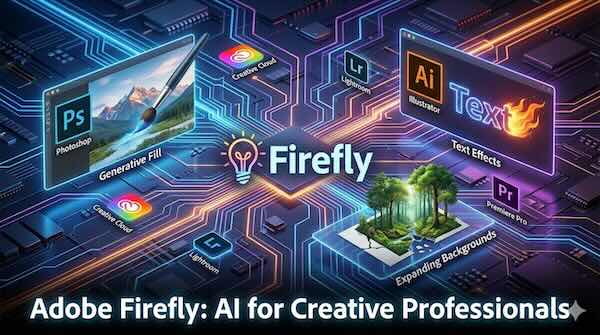
Adobe Firefly has established itself as the generative AI backbone of the Creative Cloud ecosystem, integrating directly into the professional tools that designers, photographers, video editors, and 3D artists rely on daily. Unlike standalone AI image generators, Firefly's strength lies in its seamless integration with industry-standard applications, allowing creative professionals to harness generative AI without leaving their established workflows.
What Sets Firefly Apart
Adobe designed Firefly with commercial use in mind from the outset. The models are trained on Adobe Stock images, openly licensed content, and public domain material where copyright has expired, making generated content suitable for professional and commercial projects. This approach addresses one of the biggest concerns creative professionals have about AI-generated content: licensing uncertainty.
The platform now extends beyond Adobe's own models to include partner AI models from Google, OpenAI, Black Forest Labs, Runway, Luma AI, and others. This gives users the flexibility to choose the right model for their specific creative needs, whether they prioritise commercial safety with Adobe's native models or want to explore different aesthetic styles through partner offerings.
Generative Fill in Photoshop
Generative Fill has become one of Photoshop's most-used features since its introduction, fundamentally changing how designers approach image editing. The tool allows users to add, remove, or modify content in images using simple text prompts.
How it works: Select an area using any selection tool, click Generative Fill from the Contextual Task Bar, and type a description of what you want to appear. Photoshop generates three variations, allowing you to choose the best result or regenerate for more options. Leave the prompt blank, and Firefly will intelligently fill the selection based on surrounding context.
Practical applications:
- Replacing objects in product photography without reshooting
- Removing unwanted elements from images while maintaining realistic backgrounds
- Adding new elements to compositions that blend naturally with lighting and perspective
- Changing clothing, accessories, or environmental details in portrait work
The feature now supports multiple AI models, including Google Gemini and Black Forest Labs FLUX, giving users more choice in output style and quality.
Generative Expand for Background Extension
One of the most practical Firefly-powered features addresses a common creative challenge: images that don't quite fit the required dimensions. Generative Expand uses AI to intelligently extend images beyond their original boundaries.
The workflow is straightforward: Open an image in Photoshop, select the Crop tool with Generative Expand enabled, drag the handles beyond the image borders, and click Generate. The AI analyses the existing content and creates new pixels that blend seamlessly with the original.
This proves invaluable when adapting images for different formats. A portrait-oriented photograph can be expanded to landscape for website banners. A tightly cropped product shot can gain breathing room for text overlays. The AI matches perspective, lighting, and style automatically, though users can add prompts for more specific results.
Illustrator's Generative Recolor
Vector designers working in Illustrator gain access to Generative Recolor, which transforms colour variation development from a manual, time-consuming process into near-instant exploration.
The concept is simple but powerful: Select vector artwork, access Generative Recolor, and describe the colour palette you envision. Prompts like "autumn forest at sunset" or "minimalist Scandinavian palette" generate multiple colour variations in seconds.
This accelerates workflows for:
- Developing brand colour alternatives during client pitches
- Creating seasonal variations of packaging designs
- Exploring different moods for the same illustration
- Generating colour schemes that would take hours to develop manually
The feature works with SVG files and integrates directly into Illustrator's interface, preserving all vector properties while transforming only the colour information.
Text Effects
Firefly's Text Effects feature applies AI-generated textures and styles to typography. Users enter their text and describe the desired appearance through prompts, creating stylised lettering that would traditionally require extensive manual illustration work.
The generated text maintains editability in applications like Adobe Express, allowing adjustments to font properties, spacing, and other typographic controls after the effect is applied. This makes it practical for creating eye-catching headlines, social media graphics, and decorative typography without permanently rasterising the text.
Integration Across Creative Cloud
Firefly's reach extends across the Creative Cloud ecosystem, with features appearing in multiple applications:
Photoshop hosts Generative Fill, Generative Expand, and the new Generative Workspace for ideation and concepting.
Illustrator includes Generative Recolor, Generative Shape Fill, and Text to Pattern capabilities for vector workflows.
Adobe Express provides accessible Firefly-powered image generation and editing for users who need quick results without deep technical knowledge.
Lightroom features AI-driven tools including Reflection Removal, which uses machine learning to detect and erase unwanted reflections from glass surfaces.
Premiere Pro now includes Generative Extend, powered by the Firefly Video Model, allowing editors to extend clips to cover gaps in footage or hold shots longer for better timing.
Substance 3D applications incorporate Text to Texture in Sampler for generating material starting points from descriptions, and Generative Background in Stager for creating environment backdrops from text prompts.
The Firefly Video Model
Adobe's expansion into video generation represents a significant evolution. The Firefly Video Model enables text-to-video and image-to-video generation, producing clips up to five seconds long at resolutions up to 1080p.
Within Premiere Pro, Generative Extend allows editors to seamlessly add frames to the beginning or end of clips. This solves practical problems like extending a shot that ends too abruptly or smoothing transitions between scenes without requiring reshoots.
Firefly Boards for Collaborative Ideation
Firefly Boards provides an infinite canvas environment for brainstorming and visual exploration. Teams can generate images using various AI models, upload reference materials, and iterate on concepts collaboratively before moving assets into production applications.
The platform supports multiple AI models on the same canvas, allowing direct comparison of outputs from different providers. This proves valuable during early creative phases when exploring different visual directions.
Commercial Safety and Content Credentials
Adobe automatically attaches Content Credentials to Firefly-generated images, functioning as a digital provenance record that indicates AI involvement in the creation process. This transparency supports proper attribution and helps consumers make informed decisions about content they encounter.
The Content Credentials system, developed through the Content Authenticity Initiative that Adobe co-founded, travels with content wherever it's published, providing an auditable history of how assets were created and modified.
Practical Considerations
Firefly operates on a generative credits system within Creative Cloud subscriptions. Each generation consumes credits, with monthly allocations varying by subscription tier. After exhausting fast credits, users can continue generating at slower speeds or purchase additional credits.
For enterprise users, Adobe offers Firefly Services APIs for integrating generative capabilities into custom workflows and automation pipelines. This includes features like Dubbing and Lip Sync for video localisation and Bulk Create for editing large volumes of images programmatically.
The platform's emphasis on workflow integration rather than standalone generation reflects Adobe's position that AI should enhance rather than replace human creativity. By embedding generative capabilities directly into professional tools, Firefly aims to reduce friction in the creative process while keeping skilled practitioners in control of the final output.