Series: Beginner's Guide to AI #6
Read Time: 12 minutes
Level: Beginner
Prerequisites: Guide #1 - What Is AI?, Guide #3 - How Does AI Actually Work?
Key Takeaways
- AI image generators create pictures from text descriptions by learning patterns from billions of images
- They don't copy or collage existing images - they generate completely new pixels based on learned concepts
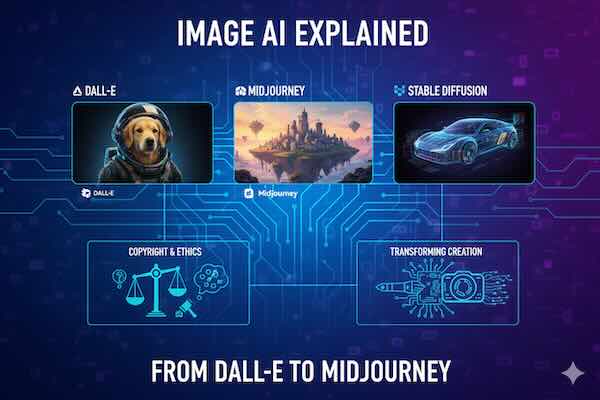
- Different tools excel at different styles - DALL-E for realism, Midjourney for artistic beauty, Stable Diffusion for customization
- Copyright and ethics are complicated - the legal and moral landscape is still being defined
- Image AI is transforming creative industries while raising important questions about art, ownership, and authenticity
Type "a cat riding a bicycle through space" into an AI image generator, and within seconds you'll see a detailed, unique image that never existed before. In 2024 alone, billions of AI-generated images were created—more images than all photographs taken in the entire 20th century.
But how does software create images from text? What's actually happening when DALL-E, Midjourney, or Stable Diffusion generates that space-cycling cat? And what does this mean for artists, photographers, and anyone who works with images?
Let's explore the fascinating technology behind AI image generation and understand both its capabilities and controversies.
What Is Image AI?
The Simple Definition
AI image generators are systems trained on millions or billions of images paired with text descriptions. They learn the relationship between words and visual concepts, then create entirely new images based on text prompts you provide.
Key point: They're not searching a database or collaging existing images. They're generating new pixels based on learned patterns about what things look like.
How It Differs from Other AI
Text AI (like ChatGPT): Predicts words based on text patterns
Image Recognition AI: Looks at images and describes what it sees
Image Generation AI: Does the reverse—takes descriptions and creates images
Think of it as the creative counterpart to image recognition: instead of "this picture shows a cat," it's "create a picture of a cat."
A Brief History of Image AI
The Early Days (2015-2020)
GANs (Generative Adversarial Networks):
- Introduced in 2014 by Ian Goodfellow
- Two neural networks compete: one generates images, one judges them
- Created increasingly realistic images but limited control
- Produced memorable (often creepy) results like AI-generated faces
Early experiments produced:
- Blurry, abstract images
- Distorted faces and objects
- Limited resolution
- Little user control over output
The Breakthrough (2021-2022)
DALL-E (January 2021):
- OpenAI's first text-to-image model
- Named combining WALL-E and Salvador Dalí
- Generated creative images from text prompts
- Showed AI could understand complex concepts
- Initially limited access
DALL-E 2 (April 2022):
- Massive improvement in quality and resolution
- More realistic and detailed images
- Better understanding of prompts
- Introduced "inpainting" (editing specific parts)
- Still restricted access via waitlist
Midjourney (July 2022):
- Entered open beta
- Distinctive artistic, painterly style
- Accessed through Discord chat
- Quickly gained massive following
- Focused on aesthetic beauty over photorealism
Stable Diffusion (August 2022):
- Released as open-source
- Could run on consumer hardware
- Freely available for anyone to use and modify
- Sparked explosion of innovation and experimentation
- More controversy due to open access
The Explosion (2023-Present)
Image AI went mainstream:
- Integrated into Photoshop, Canva, and other tools
- Mobile apps brought AI generation to smartphones
- Video generation emerged (Runway, Pika, Sora)
- Quality reached near-photorealistic levels
- Billions of images generated monthly
How Image AI Actually Works
The Training Process
Step 1: Gathering Data
The AI is trained on massive datasets containing:
- Billions of images from the internet
- Text descriptions or captions for each image
- Diverse subjects, styles, and compositions
Example datasets:
- LAION-5B: 5 billion image-text pairs
- Images from websites, stock photo sites, art galleries
- Photos, paintings, illustrations, diagrams
Step 2: Learning Connections
The AI learns associations between:
- Words and visual features ("blue" → blue pixels)
- Concepts and compositions ("sunset" → orange sky, horizon)
- Styles and techniques ("oil painting" → brushstroke textures)
- Objects and contexts ("cat" appears in homes, outdoors, etc.)
It doesn't memorize images—it learns statistical patterns about visual concepts.
Step 3: Understanding Diffusion
Most modern image AI uses "diffusion models":
-
Training: Learn to remove noise from images
- Start with clear images
- Gradually add random noise until image is pure static
- Train AI to reverse this process—remove noise step by step
- Practice this billions of times
-
Generation: Create images from noise
- Start with random noise (static)
- Text prompt guides the noise removal process
- Gradually refine noise into coherent image
- Each step moves closer to matching the prompt
- After many steps, noise becomes your image
Think of it like:
A sculptor starting with a block of marble (noise) and gradually revealing the statue (image) hidden within, guided by a vision (your prompt).
The Generation Process
When you type "a steampunk robot reading a book in a library":
Step 1: Text Encoding
- Your prompt is analyzed and converted to mathematical representation
- AI identifies key concepts: steampunk, robot, reading, book, library
- Understands relationships between concepts
Step 2: Initial Noise
- Starts with random pixel values (pure static)
- Noise is like the "seed" that will become your image
Step 3: Guided Denoising
- Text prompt guides noise removal over many iterations
- Each step: AI predicts what less-noisy version should look like
- Gradually, patterns emerge: shapes, colors, composition
- Details become clearer with each iteration
Step 4: Final Image
- After typically 20-50 steps, noise becomes clear image
- Result matches prompt based on learned patterns
- Every generation is unique (even with same prompt)
This happens in seconds to minutes depending on resolution and complexity.
Major Image AI Platforms
DALL-E 3 (by OpenAI)
Strengths:
- Photorealistic results
- Excellent text understanding (complex prompts)
- Good at following specific instructions
- Integrated into ChatGPT
- Strong safety filters
Best for:
- Realistic images
- Specific, detailed prompts
- Professional-looking results
- When precision matters
Limitations:
- Stricter content policies
- Less artistic interpretation
- Requires credits/subscription
- Less control over style
Access: Via ChatGPT Plus, Bing Image Creator (free limited version)
Midjourney
Strengths:
- Exceptionally beautiful, artistic results
- Distinctive aesthetic style
- Great for fantasy, concept art
- Strong community and sharing
- Regular updates and improvements
Best for:
- Artistic, stylized images
- Fantasy and sci-fi art
- Marketing and promotional materials
- When beauty > realism
Limitations:
- Less photorealistic
- Accessed only through Discord
- Subscription required
- Less precise control
Access: Discord bot, subscription-based
Stable Diffusion
Strengths:
- Open source and free
- Highly customizable
- Can run on your own computer
- Thousands of community models
- Fine control over generation process
- Commercial use allowed
Best for:
- Technical users wanting control
- Specific styles via custom models
- Privacy (local generation)
- Commercial projects
- Experimentation
Limitations:
- Steeper learning curve
- Requires decent computer for local use
- Base model less impressive than competitors
- More setup required
Access: Free, open-source, multiple interfaces available
Adobe Firefly
Strengths:
- Integrated into Adobe Creative Suite
- Trained only on licensed/public domain images
- Strong for editing and manipulation
- Commercial-safe for business use
- Familiar interface for Adobe users
Best for:
- Professional creative work
- Editing existing images
- When copyright concerns matter
- Adobe ecosystem users
Limitations:
- Less creative/artistic than Midjourney
- Requires Adobe subscription
- Smaller training dataset
- More conservative outputs
Access: Adobe Creative Cloud subscription
Other Notable Tools
Leonardo.AI: Game assets and character design Ideogram: Best for text within images Playground: User-friendly with mixing features Microsoft Designer: Bing integration, free tier Canva AI: Integrated design platform
What Image AI Can Do
Create Original Artwork
Generate unique images for:
- Book covers and illustrations
- Marketing materials and ads
- Social media content
- Website graphics
- Presentations and reports
- Personal projects
Example uses:
- Concept art for stories or games
- Placeholder images during design
- Inspiration for traditional artists
- Rapid prototyping of ideas
Edit and Enhance Photos
Inpainting/Outpainting:
- Remove unwanted objects
- Extend images beyond borders
- Fill in missing parts
- Change specific elements
Style Transfer:
- Convert photos to paintings
- Apply artistic styles
- Change time of day or season
- Modify moods and atmospheres
Enhancement:
- Upscale low-resolution images
- Improve image quality
- Colorize black-and-white photos
- Restore old or damaged photos
Explore Impossible Scenarios
Create images that couldn't exist in reality:
- Historical figures in modern settings
- Fictional creatures and beings
- Impossible physics or perspectives
- Mashups of different concepts
Creative applications:
- "What if" historical scenarios
- Product concepts not yet built
- Fantasy world visualization
- Surreal artistic expressions
Generate Variations
Create multiple versions of concepts:
- Different color schemes
- Various compositions
- Style alternatives
- Iterative refinement
Useful for:
- A/B testing designs
- Exploring creative directions
- Client presentations
- Finding the right aesthetic
Writing Effective Prompts
The quality of your results depends heavily on your prompts.
Basic Prompt Structure
Poor prompt: "cat"
Better prompt: "orange tabby cat sitting on a windowsill, sunlight streaming through, photorealistic, detailed fur"
Best prompt: "orange tabby cat with green eyes sitting on a wooden windowsill, warm afternoon sunlight streaming through lace curtains, photorealistic style, detailed fur texture, shallow depth of field, 4k quality"
Key Elements to Include
Subject: What do you want to see?
- "a red sports car"
Setting/Context: Where is it?
- "in a neon-lit cyberpunk city street at night"
Style: What aesthetic?
- "digital art, vibrant colors, high contrast"
Details: Specific characteristics?
- "rain-slicked streets, reflections, motion blur"
Technical specs: Quality indicators?
- "4k, highly detailed, dramatic lighting"
Useful Descriptors
For realism:
- photorealistic
- 8k resolution
- professional photography
- studio lighting
- sharp focus
- detailed
For artistic styles:
- oil painting
- watercolor
- digital art
- concept art
- anime style
- impressionist
For mood/atmosphere:
- dramatic lighting
- moody
- ethereal
- vibrant
- dark and mysterious
- cheerful and bright
For composition:
- close-up portrait
- wide-angle shot
- bird's eye view
- centered composition
- rule of thirds
Advanced Techniques
Negative prompts: Specify what you DON'T want
- "beautiful landscape --no people, buildings, text"
Weight modifiers: Emphasize certain elements
- "sunset (highly detailed:1.5) beach scene"
Artist references: Invoke specific styles
- "in the style of Studio Ghibli"
- "reminiscent of Monet"
Iterative refinement:
- Start with basic prompt
- Generate image
- Identify what needs improvement
- Add specific descriptors
- Regenerate and compare
Limitations and Challenges
What Image AI Struggles With
Text in Images: Most AI generates garbled, nonsensical text
- Signs often have gibberish
- Book covers show unreadable titles
- Exception: Newer models like Ideogram improving this
Hands and Fingers: Classic AI weakness (improving but still problematic)
- Extra or missing fingers
- Distorted proportions
- Unnatural positions
Complex Scenes: Multiple specific elements can confuse AI
- Precise spatial relationships
- Many interacting objects
- Complex physical interactions
Consistency: Generating same character or object across multiple images
- Characters look different each generation
- Maintaining specific details difficult
- Workarounds exist but require effort
Physics and Logic: AI doesn't understand how the world works
- Impossible shadows or reflections
- Objects defying physics
- Nonsensical compositions
Specific People: Most AIs refuse to generate recognizable public figures
- Safety measure against deepfakes
- Prevents impersonation
- Generic faces instead
The Copyright Controversy
This is perhaps the most contentious aspect of image AI.
The Training Data Debate
The Issue: AI models were trained on billions of images scraped from the internet, including:
- Copyrighted artwork
- Professional photography
- Illustrations from living artists
- Work posted publicly but not licensed for AI training
Artists' Concerns:
- Their work used without permission
- AI can mimic their distinctive styles
- Potential loss of income and opportunities
- Feeling their creativity was "stolen"
AI Companies' Position:
- Training on publicly available data is transformative use
- AI learns concepts, doesn't copy images
- Similar to how human artists learn from others
- Falls under fair use (legal debate ongoing)
Current Status:
- Multiple lawsuits in progress
- No clear legal precedent yet
- Different countries have different approaches
- Industry rapidly evolving
Ownership of AI-Generated Images
Complex questions:
Who owns AI-generated art?
- The person who wrote the prompt?
- The company that made the AI?
- No one (public domain)?
- Depends on jurisdiction and specific circumstances
Can you copyright AI art?
- U.S. Copyright Office: No, requires human authorship
- If you significantly edit AI images, maybe
- Legal landscape still developing
- Different rules in different countries
Can you use AI images commercially?
- Depends on the tool's terms of service
- Some allow it (Stable Diffusion, Midjourney)
- Some restrict it (free tiers often limit commercial use)
- Always check specific platform's policies
Ethical Considerations
Beyond legal questions:
Impact on Artists:
- Stock photographers losing income
- Illustrators competing with AI
- Concept artists seeing roles change
- Need for artists to adapt and evolve
Attribution and Disclosure:
- Should AI images be labeled as such?
- Transparency in marketing and media
- Potential for deception
Training Data Ethics:
- Consent from original creators
- Fair compensation models
- Opt-out mechanisms
Cultural Appropriation:
- AI reproducing culturally specific art
- Potential for misuse of cultural symbols
- Questions of respect and understanding
Practical Applications
For Businesses
Marketing and Advertising:
- Social media graphics
- Ad mockups and concepts
- Product visualization
- Campaign ideation
Product Development:
- Concept visualization
- Packaging design ideas
- Prototype imagery
- Design exploration
Internal Use:
- Presentation graphics
- Training materials
- Internal communications
- Placeholder images
For Creators
Writers:
- Character visualization
- Setting concept art
- Book cover ideas
- Scene inspiration
Game Developers:
- Concept art
- Asset generation
- Texture creation
- Environment design
Filmmakers:
- Storyboard imagery
- Mood boards
- Costume and set concepts
- Marketing materials
For Personal Use
Creative Projects:
- Custom artwork for home
- Personalized gifts
- Social media content
- Hobby projects
Learning and Exploration:
- Visualizing historical concepts
- Educational materials
- Creative experimentation
- Artistic inspiration
Practical Needs:
- Profile pictures
- Event invitations
- Presentations
- Blog graphics
Best Practices and Ethics
Use AI Responsibly
Do:
- Disclose when images are AI-generated (especially professionally)
- Respect platform terms of service
- Use AI as a tool alongside human creativity
- Credit the AI tool used
- Verify images don't unintentionally copy real people or art
Don't:
- Pass off AI art as traditional art without disclosure
- Generate harmful, illegal, or exploitative content
- Create deepfakes or impersonate real people
- Use AI to plagiarize or copy specific artists' work
- Violate privacy or create misleading images
When to Use Human Artists Instead
Choose human artists when:
- Specific, precise vision is required
- Consistency across many images needed
- Original, truly unique perspective desired
- Supporting human creators is important
- Legal clarity on ownership is crucial
- Complex, nuanced storytelling required
AI works alongside artists:
- Rapid ideation and exploration
- Placeholder art during development
- Inspiration and reference generation
- Rough concept development
- Augmenting human creativity, not replacing it
The Future of Image AI
What's Coming
Improved Quality:
- Better hands and text
- More photorealistic results
- Higher resolutions
- Faster generation
Better Control:
- Precise editing capabilities
- Consistent character generation
- 3D object creation
- Animation and video generation
Integration:
- Seamless tool integration
- Real-time generation
- AR/VR applications
- Automated workflows
Personalization:
- Models trained on your style
- Custom subject generation
- Brand-specific models
- Personal visual libraries
Ongoing Challenges
To be addressed:
- Copyright and legal frameworks
- Ethical training data practices
- Misinformation and deepfakes
- Job market impacts
- Environmental costs (energy usage)
- Accessibility and democratization
The Bottom Line
Image AI represents a fundamental shift in how visual content can be created. It's not magic—it's pattern recognition at massive scale, learning visual concepts from billions of images and recombining them in new ways based on your prompts.
These tools are incredibly powerful for ideation, exploration, and content creation, but they're not replacements for human creativity, vision, and artistic skill. They're best understood as new tools in the creative toolkit—sophisticated, sometimes problematic, always improving.
Understanding how they work, their limitations, and the ethical questions they raise helps you use them responsibly and effectively. Whether you're creating art, building a business, or simply exploring what's possible, image AI opens new creative possibilities while requiring thoughtful consideration of its implications.
The technology will continue improving. The legal landscape will evolve. The ethical debates will continue. But image AI is here to stay, transforming how we create and interact with visual content in ways we're only beginning to understand.
Continue Your Learning Journey
Now that you understand image AI, explore related topics:
- Guide #11: Understanding AI Risks - Explore deepfakes and AI dangers
- Guide #12: AI Ethics 101 - Dive into ethical questions around AI
- Guide #5: Understanding ChatGPT and LLMs - Learn about text AI
- View All Beginner Guides - See the complete learning path for AI beginners
This article is part of the SingularitySoup Beginner's Guide to AI series. Updated January 2026.