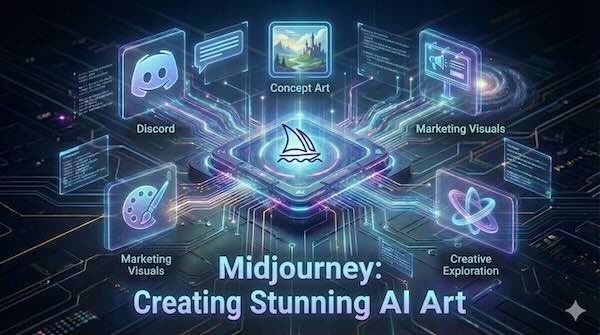
Midjourney has established itself as one of the most visually impressive AI image generators available, renowned for producing artwork with a distinctive artistic quality that sets it apart from competitors. Whether you're a concept artist exploring ideas, a marketer needing compelling visuals, or a creative hobbyist experimenting with AI, Midjourney offers a powerful toolkit for transforming text descriptions into stunning imagery.
What Is Midjourney?
Midjourney is a generative AI platform created by the San Francisco-based independent research lab of the same name, led by David Holz, co-founder of Leap Motion. The platform transforms natural language descriptions—called prompts—into images using machine learning and diffusion models.
What distinguishes Midjourney from other AI image generators like DALL-E or Stable Diffusion is its strong aesthetic sensibility. The platform excels at producing images with an artistic, often ethereal quality—think fantasy landscapes, surreal compositions, and richly textured digital paintings. This artistic flair has made it particularly popular among creative professionals and hobbyists alike.
How Midjourney Works
At its core, the process is straightforward: you describe what you want to see, and Midjourney's AI interprets your words to generate images. The platform analyses your text prompt, identifies objects, moods, colours, and compositional elements based on learned patterns, then produces a set of images matching your description.
For each prompt, Midjourney typically generates four image variations, giving you options to choose from. You can then upscale your favourite for higher resolution, request variations on a specific image, or modify particular regions while keeping the rest unchanged.
Getting Started: Discord and Web Access
Midjourney originally operated exclusively through Discord, the popular chat application. Users would join the official Midjourney Discord server and interact with a bot using the /imagine command followed by their text prompt. This community-focused approach allowed users to see what others were creating and learn from their prompts.
The platform has since introduced a web interface at midjourney.com, making it more accessible to users who prefer a traditional browser-based experience. The web app offers prompt input, editing tools, saved galleries, and community inspiration—all without requiring Discord. The two platforms sync together, so conversations and creations carry across both.
To start creating images:
- Visit midjourney.com and create an account
- Navigate to the Create section
- Type your description in the prompt bar
- Press Enter to generate four image variations
Note that Midjourney no longer offers a free trial on its main platform. You'll need a paid subscription to generate images, with plans starting at $10 per month for the Basic tier.
Subscription Plans and Pricing
Midjourney offers four subscription tiers:
- Basic ($10/month): Approximately 200 fast image generations per month, suitable for casual users and beginners
- Standard ($30/month): Unlimited relaxed-mode generations plus 15 hours of fast GPU time, offering the best value for regular users
- Pro ($60/month): 30 hours of fast generation plus Stealth Mode for private image creation
- Mega ($120/month): Designed for heavy users needing extensive fast generation capacity
Annual subscriptions provide a 20% discount. The Stealth Mode feature on higher tiers prevents your images from appearing in public galleries—important for commercial work or projects requiring confidentiality.
Version 7: The Latest Model
Midjourney released Version 7 (V7) in April 2025, which became the default model in June 2025. This latest iteration brings significant improvements:
- Enhanced realism: Better rendering of textures, lighting, and anatomical accuracy, particularly for hands and facial features
- Improved prompt comprehension: The model understands and executes complex text prompts more precisely, reducing the need for overly detailed instructions
- Draft Mode: A standout feature generating images at ten times the speed and half the cost of standard rendering, ideal for rapid prototyping and iterative design
- Default personalisation: V7 is the first version with personalisation enabled by default, allowing the system to tailor outputs to your aesthetic preferences after you rate a series of images
- Style reference compatibility: Works seamlessly with style reference codes from earlier versions, preserving established workflows
Crafting Effective Prompts
The quality of your results depends significantly on how you write your prompts. Here are key principles for better outcomes:
Be specific rather than general. Instead of "beautiful landscape," try "mountain landscape at dawn with snow-capped peaks and misty valley." The more precise your description, the closer the output matches your vision.
Use artistic terminology. Mentioning specific art movements, techniques, or styles helps achieve more accurate results. Terms like "cinematic lighting," "in the style of Art Nouveau," or "digital painting" guide the AI's interpretation.
Include visual details. Specify colours, lighting conditions, mood, setting, and composition. For example: "A futuristic city floating in the sky at sunset, warm orange and purple tones, dramatic cloud formations."
Utilise parameters. Add flags to your prompts to control aspects like aspect ratio (--ar 16:9), model version (--v 7), and stylisation level (--stylize).
Key Features for Creative Control
Midjourney offers several features that give users refined control over their outputs:
Image Weight: When uploading reference images, adjust how much influence they have on the final output. Higher weight means closer adherence to the reference; lower weight gives the text prompt more influence.
Style Reference: Upload an image to use as a stylistic guide, helping maintain consistency across a project or achieve a specific aesthetic.
Character Reference: Upload a character image to generate similar characters across multiple outputs, essential for maintaining consistency in storytelling or branding projects.
Vary Region: Select specific areas of an image to modify while keeping the rest unchanged—useful for targeted refinements without starting over.
Remix Mode: Create variations of existing images while adjusting the prompt, opening up possibilities for iterative creative exploration.
Use Cases Across Industries
Concept Art and Visual Development: Game designers, filmmakers, and illustrators use Midjourney for rapid prototyping. It's invaluable for quickly visualising characters, environments, and props during early development phases.
Marketing and Advertising: Marketing teams generate custom visuals for campaigns, social media, and presentations without commissioning designers for every asset. The ability to produce multiple variations quickly accelerates creative workflows.
Book Covers and Album Art: Authors and musicians create compelling cover artwork that aligns with their themes and styles, often using Midjourney as a starting point for final designs.
Product Design and Visualisation: Midjourney assists with product mockups, interior design concepts, and fashion visualisations, helping stakeholders see ideas before committing to production.
Creative Exploration: Perhaps most simply, Midjourney serves as a tool for pure creative experimentation—translating imaginative concepts into visual form and discovering unexpected aesthetic directions.
Considerations and Limitations
While Midjourney produces impressive results, it's worth understanding its limitations:
Text rendering: Although improving, the platform can still struggle with rendering legible text within images.
Precise specifications: Very detailed technical requirements may not always translate accurately.
Copyright questions: The legal landscape around AI-generated art remains unsettled. Several ongoing lawsuits involve claims about training data and copyright, so commercial users should stay informed about developments in this area.
Community guidelines: Midjourney prohibits certain types of content, including explicit material, so users must work within these boundaries.
Getting the Most from Midjourney
To maximise your experience:
- Explore the community: Browse the Explore section to see top-rated images and learn from other users' prompts
- Start with Draft Mode: Use this faster, cheaper option for initial concepts before committing to full-quality renders
- Save successful prompts: Document prompts that produce results you like for future reference
- Iterate systematically: Try variations on your prompts, adjusting one element at a time to understand how changes affect outputs
- Enable personalisation: Rate images to help the system learn your preferences and tailor results accordingly
Conclusion
Midjourney has earned its reputation as a leading AI image generator through its consistent artistic excellence and intuitive creative tools. With the web interface now offering full functionality alongside the Discord experience, getting started has never been more accessible.
Whether you're generating concept art for a professional project or simply exploring what AI can create from your imagination, Midjourney provides a powerful platform for visual creativity. As the technology continues to evolve with each version update, the possibilities for AI-assisted art creation only expand.
Visit midjourney.com to explore the platform and begin creating.