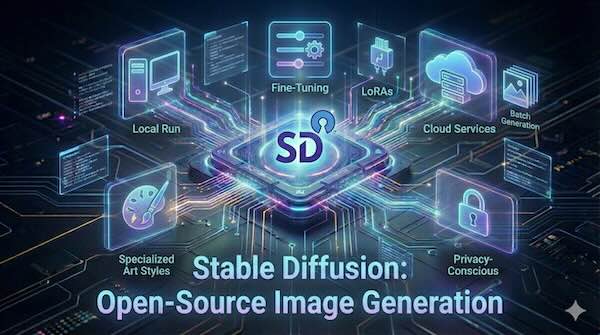
Stable Diffusion has fundamentally changed how creators, developers, and businesses approach AI-generated imagery. Unlike proprietary alternatives such as DALL-E or Midjourney, Stable Diffusion's open-source nature means you can run it locally on your own hardware, customise it to your specific needs, and integrate it into your workflows without ongoing subscription costs.
This guide covers everything you need to know about running Stable Diffusion locally or via cloud services, including customisation through fine-tuning and LoRAs, with practical use cases for batch generation, specialised art styles, and privacy-conscious workflows.
Understanding Stable Diffusion
Stable Diffusion is a latent text-to-image diffusion model that generates detailed images from text prompts. The model works by starting with random noise and progressively refining it into a coherent image guided by your text description. This "diffusion" process gives the technology its name.
The current landscape includes several model versions:
- Stable Diffusion 1.5: The original workhorse, still popular due to its extensive ecosystem of community models and low VRAM requirements (4-6GB)
- Stable Diffusion XL (SDXL): Higher quality outputs at 1024×1024 resolution, requiring 8GB+ VRAM
- Stable Diffusion 3.5: The latest generation featuring improved prompt adherence, better text rendering in images, and models ranging from "Medium" to "Large" variants with 8 billion parameters
Each version has trade-offs between quality, speed, and hardware requirements. Many users maintain multiple versions for different purposes.
Running Stable Diffusion Locally
Running Stable Diffusion on your own hardware offers several advantages: no usage limits, complete privacy, and the freedom to use any model or customisation you choose. Here's what you need to get started.
Hardware Requirements
The GPU is the most critical component for Stable Diffusion, as the model runs almost entirely on graphics processing. NVIDIA GPUs are strongly recommended due to their native CUDA support.
Minimum requirements:
- GPU: NVIDIA graphics card with 4GB VRAM (very limited functionality)
- CPU: Intel Core i5 or AMD Ryzen 5
- RAM: 16GB
- Storage: 20GB free space on an SSD
Recommended specifications:
- GPU: NVIDIA RTX 3060 (12GB) or RTX 4070/4080 with 12-16GB VRAM
- CPU: Modern multi-core processor
- RAM: 32GB
- Storage: 50GB+ SSD for multiple models
For SDXL and SD 3.5, aim for 8-12GB VRAM minimum. The RTX 3090 and RTX 4090 with 24GB VRAM remain popular choices for users who want to work with larger models, train LoRAs, or generate high-resolution images without compromise.
AMD GPU support exists through community efforts using ROCm on Linux, though performance and compatibility lag behind NVIDIA options.
Choosing Your Interface
Two interfaces dominate the Stable Diffusion ecosystem:
AUTOMATIC1111 Web UI is the most popular choice for newcomers. It provides a traditional web interface with tabs for different functions: text-to-image, image-to-image, inpainting, and extras. The straightforward layout makes it easy to start generating images immediately, while hundreds of extensions add advanced functionality when you're ready.
To install AUTOMATIC1111 on Windows:
- Install Python 3.10.6 (specifically this version)
- Install Git
- Clone the repository:
git clone https://github.com/AUTOMATIC1111/stable-diffusion-webui - Run
webui-user.bat
The first launch downloads required dependencies and may take 10-20 minutes.
ComfyUI takes a different approach with a node-based interface where you connect processing blocks into custom workflows. This visual programming style offers maximum flexibility for building complex pipelines but has a steeper learning curve. ComfyUI uses memory more efficiently than AUTOMATIC1111, making it preferable for users with limited VRAM.
ComfyUI installation is simpler on Windows—download the portable version, extract it, and run the executable. For Mac and Linux, clone the repository and run python3 main.py.
Both interfaces can share the same model files, and many users install both to take advantage of their respective strengths.
Cloud Services for Stable Diffusion
If your local hardware doesn't meet the requirements, or you need more power for demanding tasks like training, cloud services provide GPU access on demand.
Cloud GPU Platforms
RunPod has become particularly popular in the Stable Diffusion community. The platform offers pre-configured templates for AUTOMATIC1111 and ComfyUI that launch in minutes. Pricing starts around $0.16 per hour for an RTX A5000, with more powerful options available. RunPod also supports serverless deployments where you only pay for actual generation time, making it cost-effective for production applications.
Vast.ai operates as a marketplace for GPU rentals, often offering competitive prices for longer sessions. It's well-suited for extended training runs or batch processing jobs.
Google Colab provides free GPU access (with limitations) and is useful for experimentation. However, usage restrictions and session timeouts make it impractical for serious work. The paid Colab Pro removes some limitations.
API Services
For developers building applications, several services provide Stable Diffusion via API:
Stability AI's platform offers access to the latest official models through DreamStudio and their developer API. It uses a credit-based system starting at approximately £8 for 1,000 credits.
Replicate provides simple API access to various Stable Diffusion models, including community fine-tunes. You pay per prediction, making it easy to estimate costs.
These API options work well for prototyping or lower-volume production use cases where running your own infrastructure would be overkill.
Customisation Through Fine-Tuning and LoRAs
The true power of Stable Diffusion's open-source nature emerges through customisation. You can teach the model new concepts, styles, or subjects that weren't in its original training data.
Understanding LoRAs
Low-Rank Adaptation (LoRA) has become the dominant method for customising Stable Diffusion. Instead of retraining the entire model (which would require enormous resources), LoRA trains small additional weights that modify the model's behaviour.
The advantages are substantial:
- Training takes minutes to hours instead of days
- LoRA files are typically 3-200MB versus multi-gigabyte full models
- Multiple LoRAs can be combined at generation time
- Training works on consumer GPUs with 8-12GB VRAM
LoRAs fall into several categories:
Character LoRAs teach the model to generate specific people, fictional characters, or consistent original characters. Train these with 10-30 high-quality images of the subject from various angles.
Style LoRAs capture artistic styles, from specific artist techniques to broader aesthetics like "watercolour illustration" or "1980s anime". These typically need 20-100 example images.
Concept LoRAs introduce new objects, environments, or visual elements not well-represented in the base model.
Training Your Own LoRA
The most accessible approach uses Kohya's SS training scripts with a GUI wrapper. The process involves:
- Preparing your training images (crop to consistent square sizes, ideally 512×512 or 1024×1024 depending on your base model)
- Writing caption files describing each image
- Configuring training parameters (learning rate, steps, rank)
- Running the training
Expect training to take 30 minutes to 2 hours depending on your GPU and dataset size. The Hugging Face diffusers library also provides official LoRA training support with good documentation.
Finding pre-made LoRAs: Before training your own, check Civitai and Hugging Face. These platforms host thousands of community-created LoRAs covering every imaginable style and subject. Most are free to download and use.
Full Fine-Tuning and DreamBooth
For deeper customisation, DreamBooth trains the model more thoroughly on a specific subject. It produces higher fidelity results than LoRA for individual subjects but requires more VRAM (typically 24GB+) and produces larger output files.
DreamBooth is commonly combined with LoRA to get quality benefits while keeping file sizes manageable—this approach is often called DreamBooth LoRA.
Practical Use Cases
Batch Generation
Stable Diffusion excels at generating large quantities of images efficiently. Common batch workflows include:
Dataset creation: Generate training data for other AI models, create texture libraries, or produce variations for testing.
Prompt exploration: Queue multiple prompts with varying parameters to find optimal settings. The Agent Scheduler extension for AUTOMATIC1111 lets you queue unlimited tasks that run unattended.
Product visualisation: Generate product images across different backgrounds, angles, or contexts from a single source image.
For batch processing, ComfyUI's node-based approach shines. You can build workflows that automatically process folders of input images or iterate through prompt lists. The system only re-executes changed nodes, making iteration efficient.
Specialised Art Styles
Building consistent visual styles requires combining several techniques:
- Select an appropriate base model: Community models like Realistic Vision, DreamShaper, or Counterfeit already lean toward specific aesthetics
- Add style LoRAs: Layer one or more LoRAs to dial in the exact look
- Craft your prompts: Include style keywords and negative prompts to guide generation
- Use ControlNet: Maintain composition control while the style elements vary
For commercial work requiring consistent output across many images, consider training a custom LoRA on your brand's visual style. This ensures every generation aligns with your aesthetic requirements.
Privacy-Conscious Workflows
Running Stable Diffusion locally provides complete data privacy—nothing leaves your machine. This matters for:
Sensitive business content: Product designs, marketing concepts, and confidential projects stay entirely internal.
Personal images: Training on personal photos or generating content involving individuals keeps that data off third-party servers.
Regulated industries: Healthcare, legal, and financial sectors often have data handling requirements that cloud services complicate.
For organisations requiring cloud resources but with privacy concerns, self-hosted solutions on private cloud infrastructure provide a middle ground. RunPod's serverless option can be configured with your own models on a network volume that only you can access.
Optimising Your Workflow
Performance Tips
Enable xformers: This optimisation significantly reduces VRAM usage and speeds up generation. Most interfaces include a simple toggle.
Use appropriate precision: FP16 (half-precision) works well for generation and uses half the VRAM of FP32. Some newer optimisations use FP8 for even greater efficiency.
Right-size your generations: Start with smaller images and upscale. Generating at 512×512 and using an AI upscaler is often faster and produces better results than generating directly at high resolution.
Queue intelligently: Generate at lower resolution with more seeds to find good compositions, then regenerate winners at higher quality.
Quality Workflow
A typical workflow for polished results:
- Prompt development: Start with simple prompts and iterate to find what works
- Seed hunting: Generate many variations to find promising compositions
- Refinement: Use image-to-image to enhance chosen outputs
- Inpainting: Fix specific areas like hands or faces
- Upscaling: Apply AI upscalers for final resolution
- Post-processing: Fine-tune in traditional image editing software
This multi-step approach consistently produces better results than trying to generate perfect images in a single pass.
Getting Started Checklist
For local installation:
- [ ] Verify your GPU has at least 6GB VRAM (8GB+ recommended)
- [ ] Install Python 3.10.6 and Git
- [ ] Clone and run AUTOMATIC1111 or download ComfyUI portable
- [ ] Download a checkpoint model (start with SD 1.5 for lower VRAM, SDXL for better quality)
- [ ] Generate your first images with simple prompts
- [ ] Explore extensions and additional models as you learn
For cloud usage:
- [ ] Create accounts on RunPod, Vast.ai, or your preferred platform
- [ ] Start with pre-configured templates
- [ ] Understand the pricing model before running expensive operations
- [ ] Consider persistent storage for models you use frequently
Conclusion
Stable Diffusion represents a significant shift in creative tools—professional-quality AI image generation that you can run on your own terms. Whether you're an artist exploring new creative possibilities, a developer building AI-powered applications, or a business seeking efficient content creation workflows, the flexibility of open-source image generation opens doors that proprietary services cannot.
The initial setup requires some technical effort, but the investment pays off in unlimited, customisable image generation with complete control over your data and workflows. Start with the basics, experiment with community models and LoRAs, and gradually explore the deeper customisation options as your needs evolve.