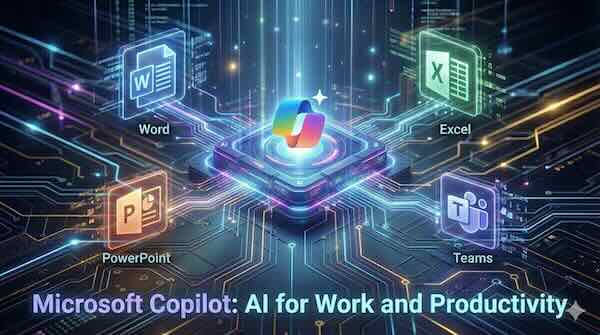
Microsoft has embedded artificial intelligence deep into its productivity suite, transforming how millions of workers interact with Word, Excel, PowerPoint, and Teams. Microsoft 365 Copilot acts as an AI-powered assistant that understands context, processes natural language commands, and automates time-consuming tasks across the applications businesses rely on daily.
How Copilot Works Across Microsoft 365
Microsoft 365 Copilot combines large language models with Microsoft Graph, which connects to organisational data including emails, files, calendars, chats, and documents. This integration allows Copilot to understand relationships, projects, and workflows within your specific business context rather than operating as a generic chatbot.
The assistant appears as a sidebar panel or integrated button within each application. Users can interact through natural language prompts, asking Copilot to perform tasks, answer questions about documents, or generate new content based on existing materials.
Word: Document Creation and Editing
Copilot in Word eliminates the blank page problem by generating first drafts from simple prompts. Users can instruct Copilot to create documents based on other files in their organisation, pulling relevant information from emails, presentations, or previous reports.
Key capabilities include:
- Drafting documents from scratch based on topic descriptions
- Rewriting sections to adjust tone, length, or formality
- Summarising lengthy documents into key points
- Generating executive summaries from technical content
- Incorporating information from multiple source files across the organisation
The recent introduction of Agent Mode extends these capabilities further, allowing Copilot to make direct edits and changes with more sophisticated document manipulation.
Excel: Data Analysis and Formula Generation
Excel users can now describe what they want to analyse in plain English rather than wrestling with complex formula syntax. Copilot interprets questions about data and generates appropriate formulas, charts, and insights.
Practical applications include:
- Creating formulas from natural language descriptions
- Analysing trends and patterns within datasets
- Generating visualisations such as charts and graphs
- Identifying outliers or anomalies in data
- Building pivot tables based on analysis requirements
For example, asking Copilot to "show satisfaction scores across all regions as a bar chart" produces the requested visualisation without manual chart configuration. The Agent Mode feature allows for deeper workbook manipulation, while the Analyst capability provides reasoning-powered data analysis for complex queries.
PowerPoint: Presentation Generation
Creating presentations has traditionally been one of the most time-intensive office tasks. Copilot transforms this process by generating complete slide decks from various inputs including Word documents, notes, and simple topic descriptions.
Presentation features include:
- Building slide decks from Word documents or PDF files
- Creating presentations from topic prompts with customisable length
- Suggesting and applying design themes
- Generating speaker notes for each slide
- Adding relevant images from AI generation or organisational libraries
- Restructuring and reordering slides based on feedback
Users can reference up to five documents when creating presentations, and Copilot will incorporate images found within source materials. The system works best with Word documents under 24 MB and can extract insights from charts, diagrams, and screenshots embedded in source files.
Teams: Meeting Intelligence and Summaries
Microsoft Teams with Copilot addresses one of the most common workplace complaints: too many meetings and too little time to process what was discussed. The AI assistant captures meeting content in real-time and transforms it into actionable summaries.
Meeting capabilities include:
- Real-time summaries of discussion points as meetings progress
- Identification of action items with ownership attribution
- Speaker timelines showing when each participant contributed
- Chapter breakdowns for navigating long recordings
- Post-meeting recaps accessible from the Teams calendar
When joining a meeting late, users can ask Copilot to summarise what has been discussed. The system processes the live transcript and delivers a catch-up summary directly in the meeting window. After meetings conclude, Copilot generates comprehensive recaps including key decisions, assigned tasks, and links to shared files.
For confidential discussions, organisations can enable Copilot to work without recording or transcription. In this mode, speech-to-text processing happens in real-time but no data persists after the meeting ends.
Use Cases in Practice
Generating presentations from meeting notes: A project manager can take notes from a client call and instruct Copilot to create a stakeholder presentation covering project updates, timelines, and next steps. Copilot structures the content into slides, suggests appropriate visuals, and adds speaker notes.
Analysing spreadsheet data: A finance team member can upload sales data and ask Copilot to identify trends, compare regional performance, and create a summary report with charts. Rather than building formulas manually, they describe the analysis in plain language.
Summarising meeting transcripts: After a two-hour planning session, participants receive an automated recap highlighting decisions made, tasks assigned to each person, and topics that need follow-up. Team members who missed the meeting can quickly understand the key outcomes.
Creating documents from multiple sources: A consultant can instruct Copilot to draft a proposal by referencing the client's original brief, previous project documentation, and relevant case studies stored in SharePoint, producing a first draft that synthesises all inputs.
Licensing and Availability
Microsoft offers Copilot through several licensing arrangements. Copilot Chat is now available at no additional cost to Microsoft 365 business and enterprise subscribers, providing secure AI chat and basic assistance within applications. The full Copilot for Microsoft 365 experience, which includes document automation, formula reasoning, and deep Graph integration, requires a paid add-on license priced at $30 per user per month for enterprise customers.
Small and medium businesses can access Copilot Business at $21 per month per user, with bundled options available that combine base Microsoft 365 subscriptions with Copilot functionality.
Microsoft has unified several previously separate products—including Copilot for Sales, Copilot for Service, and Copilot for Finance—into the standard Microsoft 365 Copilot license, expanding functionality without additional cost for existing subscribers.
The Evolving Landscape
Microsoft continues to expand Copilot capabilities rapidly. Recent updates include the shift to GPT-5 as the default model, improved memory features that recall context from previous conversations, and new Agent Mode functionality that enables more sophisticated document manipulation directly within applications.
The introduction of dedicated Word, Excel, and PowerPoint agents in Copilot Chat allows users to create complete documents, spreadsheets, and presentations through conversational prompts before opening the relevant application. These agents guide users with clarifying questions to shape outputs that match specific goals.
For organisations already invested in the Microsoft ecosystem, Copilot represents a significant productivity opportunity. The AI assistant works within familiar interfaces using enterprise security protections, making adoption more straightforward than standalone AI tools that require data export and separate workflows.