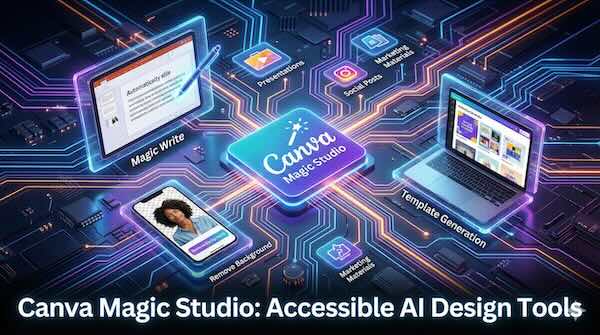
For the vast majority of people who don't have professional design training, creating polished visuals has long meant either settling for mediocre results or paying for expensive software and expertise. Canva's Magic Studio aims to change that equation entirely, bundling more than 20 AI-powered tools into a single platform that promises to turn anyone into a capable designer.
What Is Magic Studio?
Magic Studio serves as the central hub for all of Canva's AI capabilities. Rather than requiring users to learn multiple applications or toggle between different tools, it consolidates everything from text generation to advanced photo editing within the familiar Canva interface. The suite includes writing assistance, automated design generation, image manipulation, format conversion, and video editing tools that work together to streamline the entire creative process from initial concept to finished output.
The platform is built specifically for users without complex design skills. Each tool within Magic Studio addresses common pain points like creative block, lack of technical expertise, and the significant time investment typically required to produce professional-looking content.
Key Features for Everyday Users
Magic Write: Your AI Writing Assistant
Magic Write functions as an AI-powered copywriting tool that generates text based on user prompts. It can produce everything from social media captions and profile bios to longer-form content like blog posts, emails, and business documents.
The tool works by taking a simple instruction and generating relevant text. Users can ask for specific tones, from playful to formal, and the AI will adjust its output accordingly. For teams with established branding, Magic Write can learn and apply a company's tone of voice, ensuring consistency across all content.
Beyond generating new text, Magic Write can also transform existing copy. Highlight a paragraph and the tool offers options to rewrite it, summarise it, or convert it into a different format such as a bulleted list. This makes it useful not just for overcoming blank page syndrome but also for refining and repurposing content that already exists.
Magic Write is available across all design types in Canva, including documents, presentations, and whiteboards. Free users receive a limited number of uses, while Pro subscribers get significantly higher allowances.
Background Remover and Magic Eraser
Two of the most practical tools for non-designers are the Background Remover and Magic Eraser. These address common image editing tasks that traditionally required specialised software like Photoshop.
The Background Remover works with a single click. Upload an image, select the tool, and the AI automatically isolates the subject and removes everything behind it. This is particularly useful for product photography, headshots, and creating layered designs. The result is a transparent PNG ready to be placed on any background.
The Magic Eraser takes this further by allowing users to remove specific objects from photographs. Rather than erasing backgrounds entirely, you can brush over unwanted elements like photobombers, distracting objects, or visual clutter and the AI fills in the gap naturally. The tool offers both a click option for selecting large objects and a brush option for more precise control.
These features are primarily available to Pro subscribers, though free users can try the Background Remover once.
Magic Design: AI-Generated Templates
Perhaps the most transformative feature for non-designers is Magic Design, which generates complete design templates from simple text descriptions. Instead of scrolling through hundreds of pre-made templates hoping to find something suitable, users can describe what they need and receive customised options in seconds.
The process is straightforward: type a prompt such as "Instagram post for a coffee shop announcing a weekend sale, warm and inviting aesthetic" and Magic Design generates multiple complete layouts including appropriate images, colours, fonts, and even suggested copy. Users can also upload their own images and the AI will incorporate them into the generated designs, adjusting colour palettes and layouts accordingly.
Magic Design extends to presentations and videos as well. For presentations, users can input a topic and receive multi-page decks complete with relevant content, images, and consistent formatting. For video, the tool can combine uploaded clips and images into short-form content suitable for social media platforms, adding appropriate music recommendations to tie everything together.
Additional Magic Tools
The Magic Studio suite includes several other AI-powered features worth noting:
-
Magic Edit allows users to add, replace, or modify elements within images using text prompts. Select an area and describe what you want to see there.
-
Magic Grab automatically detects and separates subjects in photos, making them moveable and resizable like individual layers. This enables sophisticated photo manipulation without technical layer work.
-
Magic Expand uses AI to extend images beyond their original borders, useful for fixing awkward cropping or converting portrait shots to landscape orientation.
-
Magic Switch (formerly Magic Resize) converts designs between formats and dimensions instantly. A presentation can become a document, an Instagram post can become a Pinterest pin, and content can be translated into different languages while maintaining layout integrity.
Practical Use Cases
Social Media Content
For small business owners and marketers managing multiple social platforms, Magic Studio dramatically reduces production time. Generate a post concept with Magic Design, write the caption with Magic Write, and use Magic Switch to adapt the design for different platforms without starting from scratch each time.
Presentations
The combination of Magic Design for Presentations and Magic Write creates a powerful workflow for anyone who regularly builds decks. Describe your presentation topic, receive a structured outline with visual layouts, then refine the generated content to match your specific needs.
Marketing Materials
From flyers and posters to email headers and promotional banners, the template generation and editing tools handle the heavy lifting. Brand Kit integration (available on Pro plans) ensures all generated content automatically uses approved colours, fonts, and logos.
Quick Photo Editing
The eraser and background removal tools eliminate the need for dedicated photo editing software in many common scenarios. Clean up product shots, create professional headshots from casual photos, or remove distracting elements from event photography.
Pricing and Access
Canva operates on a tiered pricing model. The free plan provides access to basic design tools and limited use of AI features. Canva Pro, priced at approximately £100 per year (or monthly options), unlocks the full Magic Studio suite including unlimited background removal, higher AI usage limits, and advanced features like Brand Kit.
The Teams plan includes everything in Pro plus collaboration tools and administrative controls, though recent pricing changes have increased costs significantly compared to previous structures.
It's worth noting that the most powerful AI features, including Magic Eraser, Magic Grab, Magic Expand, and unlimited access to generation tools, require a paid subscription. Free users can experiment with the tools but will find practical limits quickly.
Limitations to Consider
While Magic Studio makes design accessible, it has some constraints. The AI tools consume credits with each use, and regenerating content to get desired results can deplete allowances quickly. Users cannot make fine adjustments to AI-generated images directly; unsatisfactory results require starting fresh with new prompts rather than incremental refinement.
For businesses requiring pixel-perfect brand consistency or highly specific creative direction, Magic Studio works best as a starting point rather than a complete solution. The generated outputs are solid foundations that benefit from human editing and refinement.
The Bottom Line
Canva Magic Studio represents a significant step toward democratising design. For individuals, small businesses, and marketing teams who need to produce visual content regularly but lack dedicated design resources, the platform offers genuine time savings and professional-quality results.
The AI tools won't replace professional designers for complex projects, but they effectively eliminate the blank canvas problem and handle routine design tasks with surprising competence. For anyone who has struggled to create visuals that don't look amateurish, Magic Studio offers a practical path to better output without a steep learning curve.