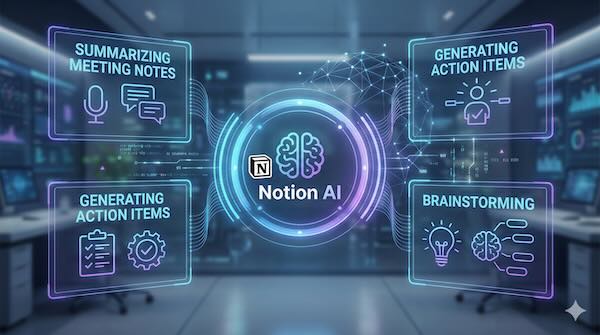
Notion has evolved from a popular workspace tool into an AI-powered productivity platform, embedding artificial intelligence directly into the note-taking, documentation, and project management workflows that millions of users rely on daily. Rather than requiring users to switch between applications, Notion AI brings generative capabilities right where the work happens.
What Notion AI Actually Does
Notion AI functions as an integrated writing and thinking assistant within Notion's existing interface. Users can invoke it anywhere they're working—inside a document, database, or project board—to help with a range of tasks.
The core capabilities include:
- Writing assistance – drafting content, improving clarity, adjusting tone, fixing grammar, and translating text
- Summarisation – condensing lengthy documents, meeting notes, or research into key points
- Information extraction – pulling action items, decisions, or themes from unstructured content
- Brainstorming – generating ideas, outlines, and starting points for projects
- Q&A across workspaces – answering questions by searching and synthesising information from a team's Notion pages
Practical Applications
Meeting notes transformation. One of the most immediately useful applications involves meeting documentation. After pasting or importing raw meeting notes, users can ask Notion AI to extract action items with assigned owners, summarise key decisions, or identify open questions that need follow-up. What might take fifteen minutes of manual review can happen in seconds.
Documentation drafting. Technical writers and product teams use Notion AI to generate first drafts of documentation based on bullet points or rough notes. The AI can adopt specific formats—whether that's a product requirements document, a how-to guide, or an internal wiki entry—and produce structured content ready for human refinement.
Project brainstorming. When starting new initiatives, teams can use Notion AI to expand on initial concepts, suggest potential challenges, or generate lists of considerations. It's particularly useful for overcoming the blank page problem when kicking off creative or strategic work.
Database enrichment. Within Notion databases, AI can auto-fill properties, generate summaries for entries, or create descriptions based on other fields. This transforms basic tracking systems into richer knowledge repositories without manual data entry.
The Workspace Context Advantage
What distinguishes Notion AI from standalone AI tools is its access to workspace context. When you ask Notion AI a question, it can search across your team's pages, databases, and documents to provide answers grounded in your actual work—not just general knowledge.
This means a new team member can ask questions about project history, company processes, or past decisions and receive answers synthesised from existing documentation. The AI becomes an interface to institutional knowledge.
Limitations to Consider
Notion AI works best with well-organised workspaces. If your team's Notion is a sprawl of disconnected pages with inconsistent naming, the AI's ability to find and synthesise relevant information diminishes. The output quality also depends heavily on input quality—vague prompts produce generic results.
For teams already invested in Notion, the AI features offer a natural enhancement to established workflows. For those evaluating workspace tools, the AI capabilities represent one factor among many, including collaboration features, integrations, and pricing structures.
Where Notion AI Fits
Notion AI represents the broader trend of AI capabilities being embedded directly into productivity tools rather than existing as separate applications. For knowledge workers who spend significant time in Notion, having AI assistance available without context-switching removes friction from adoption.
The practical value shows up in accumulated time savings across routine tasks—the meeting summaries, the drafted emails, the quick answers to "where did we document that decision?"—rather than any single transformative feature. It's AI as a steady productivity multiplier, quietly integrated into daily work.