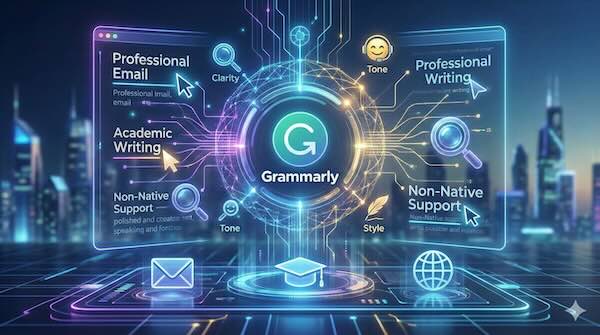
Grammarly has evolved far beyond its origins as a spelling and grammar checker. Today, it stands as one of the most widely used AI writing assistants, helping millions of users communicate more effectively across emails, documents, social media posts, and professional communications. But what exactly makes modern Grammarly different from the basic spell-check tools we've had for decades?
From Red Squiggles to Intelligent Suggestions
Traditional spell-checkers work through simple pattern matching—they compare words against a dictionary and flag anything that doesn't match. Grammar checkers added basic rule-following, catching obvious errors like subject-verb disagreement or missing punctuation.
Grammarly's AI operates on an entirely different level. Using natural language processing and machine learning models trained on vast amounts of text, it analyses writing contextually. This means it can understand not just whether a sentence is technically correct, but whether it achieves what the writer intends.
The system examines sentence structure, word choice, and overall flow. It can identify when a perfectly grammatical sentence might still confuse readers or when formal language creates unnecessary distance in a friendly email.
Core Features That Set It Apart
Clarity improvements go beyond fixing errors. Grammarly identifies wordy phrases, passive constructions that obscure meaning, and sentences that could be split for better readability. It might suggest changing "due to the fact that" to simply "because," or flagging a 50-word sentence that loses readers halfway through.
Tone detection represents a significant leap in AI writing assistance. The tool analyses text to determine how it might come across to readers—formal or informal, confident or uncertain, friendly or distant. Writers can set their intended tone and receive suggestions that align their words with their goals.
Style consistency helps maintain a coherent voice throughout longer documents. This proves particularly valuable for team communications or branded content where consistency matters.
Plagiarism detection scans text against billions of web pages and academic databases, useful for students and content creators ensuring originality.
Professional Email Communication
Email remains one of Grammarly's most common use cases. The stakes in professional correspondence are often higher than people realise—a poorly worded message to a client or colleague can damage relationships or create misunderstandings.
Consider a quick reply dashed off between meetings. Without assistance, it might read as curt or unclear. Grammarly can identify when brevity tips into brusqueness, suggesting additions that maintain professionalism without requiring the writer to draft and redraft.
The tool also catches common email pitfalls: starting every sentence with "I," using overly aggressive language in feedback, or burying the main request in the third paragraph. These aren't grammar errors, but they affect how messages land with recipients.
For those who write dozens of emails daily, the cumulative effect is significant. Small improvements across hundreds of messages can meaningfully enhance professional reputation and reduce the back-and-forth caused by unclear communication.
Academic Writing Support
Students and researchers face specific writing challenges. Academic conventions demand precision, proper citation practices, and a formal register that many find unfamiliar. Grammarly's academic-focused features address these needs directly.
The tool recognises academic writing patterns and adjusts its suggestions accordingly. It flags informal language that might undermine credibility in a research paper while allowing the same phrasing in a personal blog post. It identifies hedging language—those "may possibly" and "could potentially" constructions that academics often overuse—and suggests more confident alternatives where appropriate.
For longer works like dissertations or theses, consistency checking becomes invaluable. Maintaining the same formatting, terminology, and style across 80,000 words challenges even experienced writers. Grammarly tracks these elements throughout a document, flagging inconsistencies that human proofreaders might miss.
Citation and quotation integration also receives attention. The tool can identify when quoted material doesn't quite fit the surrounding prose or when transitions between sources feel jarring.
Supporting Non-Native English Speakers
Perhaps Grammarly's most transformative impact comes in supporting those writing in English as an additional language. Native speakers possess intuitive knowledge about what "sounds right"—knowledge that takes years of immersion to develop. AI assistance can help bridge this gap.
Common challenges for non-native speakers include article usage (when to use "the," "a," or no article at all), preposition selection, and idiomatic expressions that don't translate directly from other languages. These errors rarely prevent comprehension, but they mark the writer as non-native, which can affect how their work is perceived in professional or academic contexts.
Grammarly identifies patterns specific to different language backgrounds. A Spanish speaker might struggle with different constructions than a Mandarin speaker, and the tool adapts its suggestions accordingly. Over time, users report internalising corrections, improving their writing even without the tool.
The confidence boost matters too. Many non-native speakers hesitate to contribute in writing-heavy workplaces, worried about errors reflecting poorly on their competence. Knowing that an AI assistant has checked their work allows them to participate more fully.
Integration Across Platforms
Grammarly's browser extensions and integrations mean the tool works wherever writing happens. Email clients, word processors, social media platforms, and content management systems can all connect to the service. This ubiquity removes friction—writers don't need to copy text to a separate application for checking.
The mobile keyboard extension brings these capabilities to smartphone typing, where autocorrect often creates as many problems as it solves. Desktop applications provide deeper integration with tools like Microsoft Word and Google Docs.
For organisations, Grammarly Business adds team-specific features: shared style guides, brand tone enforcement, and analytics showing writing patterns across the company.
Limitations and Considerations
AI writing assistance isn't without drawbacks. Over-reliance can prevent writers from developing their own skills. The tool occasionally suggests changes that alter intended meaning or remove personality from writing. Creative and literary work often benefits from rule-breaking that Grammarly might flag as errors.
Privacy considerations also matter. Text processed by cloud-based AI services passes through external servers. While Grammarly maintains privacy policies, users working with sensitive information should understand what data is transmitted.
The tool works best as a collaborator rather than an authority. Writers who engage critically with suggestions—accepting some, rejecting others, and understanding the reasoning behind each—gain the most benefit.
The Broader Significance
Grammarly represents a maturing of AI writing tools from error-catchers to genuine writing partners. The shift from rule-based systems to machine learning models enables nuance and context-awareness that simply wasn't possible before.
As large language models continue advancing, tools like Grammarly will likely become more sophisticated still—better at understanding intent, more capable of maintaining individual voice while improving clarity, and increasingly helpful across languages and writing contexts.
For now, Grammarly occupies a valuable middle ground: more capable than basic spell-check, more focused than general-purpose AI assistants. It enhances human writing rather than replacing it, helping people communicate what they actually mean with greater precision and impact.