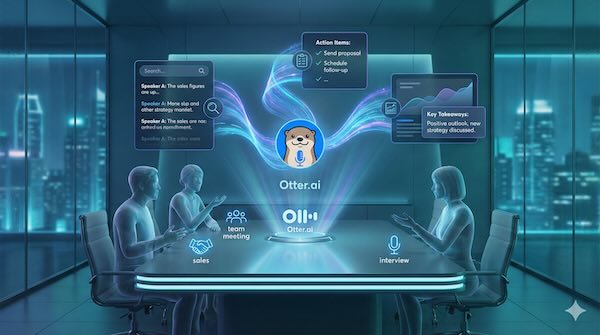
Meeting notes have long been a necessary evil of professional life—someone has to scribble down what was said, often missing half the conversation in the process. Otter.ai aims to eliminate this problem entirely by using artificial intelligence to transcribe, summarise, and organise your meetings automatically.
What is Otter.ai?
Otter.ai is an AI-powered transcription service that converts spoken conversations into searchable, shareable text in real time. Originally launched as a general transcription tool, it has evolved into a comprehensive meeting assistant that integrates with popular video conferencing platforms like Zoom, Google Meet, and Microsoft Teams.
The service uses automatic speech recognition combined with natural language processing to not only capture what's being said but also identify speakers, extract key points, and generate summaries. The result is a detailed record of any meeting that participants can search, annotate, and share.
Key Features
Real-time transcription forms the core of Otter's offering. As participants speak, their words appear on screen with roughly 85-95% accuracy, depending on audio quality and speaker clarity. The system improves over time as it learns individual voices and terminology specific to your organisation.
Speaker identification automatically distinguishes between different voices in a conversation. After initial setup, Otter can label who said what, making it easy to follow the flow of discussion or find a specific person's contributions.
Automated summaries distil lengthy meetings into digestible overviews. Rather than scrolling through an hour-long transcript, you can review the key points in a few paragraphs.
Action item extraction identifies tasks and commitments mentioned during meetings. When someone says "I'll send that report by Friday," Otter flags it as an action item, helping ensure nothing falls through the cracks.
Searchable archives allow you to find specific moments across all your recorded meetings. Need to recall what was decided about the Q3 budget? A quick search pulls up every relevant mention.
Practical Applications
Sales Calls
Sales teams find particular value in Otter's capabilities. Representatives can focus entirely on the prospect rather than splitting attention between conversation and note-taking. After the call, they have a complete record to review, share with colleagues, or reference before follow-up conversations.
The searchable archive proves especially useful when preparing for renewal discussions or when a new team member takes over an account. Every previous conversation is accessible, providing context that would otherwise be lost.
Team Meetings
Regular team meetings often generate important decisions that somehow never make it into anyone's notes. With Otter handling transcription, there's always a record of what was discussed and agreed. Team members who couldn't attend can catch up quickly by reviewing the summary rather than asking colleagues to repeat everything.
The action item extraction feature helps with accountability. When the transcript clearly shows who committed to what, there's less room for the familiar "I thought you were handling that" confusion.
Interviews
HR departments and hiring managers use Otter to maintain consistent records of candidate interviews. This supports fairer evaluation by allowing multiple reviewers to assess what was actually said rather than relying on an interviewer's potentially biased recollection.
For journalists and researchers conducting interviews, the searchable transcript eliminates hours of manual transcription work while providing an accurate record for fact-checking quotes.
Limitations to Consider
Accuracy depends heavily on audio quality. Background noise, poor microphone placement, or multiple people talking simultaneously all reduce transcription quality. Technical jargon, accents, and mumbling present additional challenges.
Privacy considerations deserve attention. Recording meetings requires consent from all participants in many jurisdictions. Organisations need clear policies about what gets recorded, who can access transcripts, and how long they're retained.
The AI-generated summaries and action items, while useful, aren't perfect. Important nuances can be missed or misinterpreted. Treating these features as helpful aids rather than definitive records is wise.
Getting Started
Otter offers a free tier with limited monthly transcription minutes, making it easy to test before committing. Paid plans increase transcription allowances and add features like custom vocabulary, advanced search, and administrative controls for teams.
Setup is straightforward: create an account, connect your calendar and video conferencing tools, and Otter can automatically join and transcribe scheduled meetings. Alternatively, you can record directly through the mobile or desktop apps.
The Bottom Line
Otter.ai addresses a genuine pain point in professional life. The technology isn't flawless, but it's reached a level of reliability where the time saved typically outweighs the occasional transcription error. For anyone who spends significant time in meetings, it offers a practical way to capture and retrieve information that would otherwise disappear into the ether of collective memory.