Series: Beginner's Guide to AI #8
Read Time: 13 minutes
Level: Beginner
Prerequisites: Guide #1 - What Is AI?, Guide #4 - AI in Your Daily Life
Key Takeaways
- AI can save you hours every week through automation and intelligent assistance
- Free and accessible AI tools exist for productivity, learning, creativity, and health
- You don't need technical skills to benefit from AI—many tools are designed for everyone
- AI works best as your assistant not your replacement—you stay in control
- Small AI integrations can have significant cumulative impact on your quality of life
You've learned what AI is, how it works, and where it's used in industries. But here's the practical question: How can AI actually improve YOUR life, right now, today?
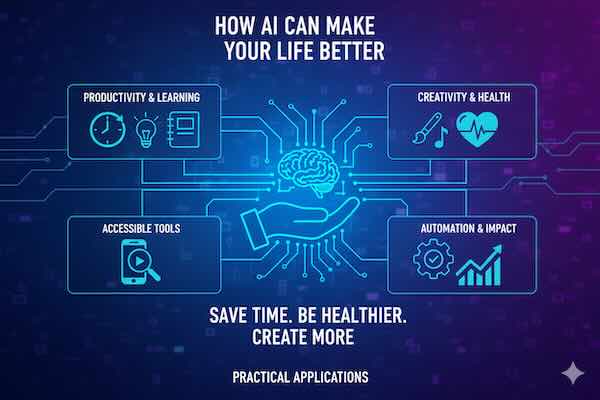
The answer might surprise you. Beyond the AI already working invisibly in your apps, there are dozens of accessible, often free AI tools that can save you time, help you learn faster, boost your creativity, manage your health, and solve everyday problems.
This isn't about futuristic promises—it's about practical applications you can start using today. Let's explore how AI can become your personal assistant, tutor, creative partner, and life optimizer.
Productivity: Work Smarter, Not Harder
AI can dramatically reduce time spent on routine tasks, freeing you for more meaningful work.
Writing and Communication
Email Management:
AI-Powered Tools:
- Gmail Smart Compose: Suggests sentence completions as you type
- Superhuman: Prioritizes important emails, suggests responses
- SaneBox: Automatically sorts and organizes incoming mail
- Boomerang: Schedules sends and reminds you of follow-ups
What you gain: 30+ minutes daily by reducing email time.
Writing Assistance:
Tools That Help:
- Grammarly: Checks grammar, suggests improvements, adjusts tone
- ChatGPT/Claude: Drafts emails, reports, proposals
- Hemingway Editor: Makes writing clearer and more concise
- QuillBot: Paraphrases and rewrites text
- Notion AI: Summarizes notes, generates ideas
Practical uses:
- Draft professional emails in seconds
- Transform rough ideas into polished documents
- Adapt tone for different audiences
- Overcome writer's block
- Generate multiple versions quickly
Example: Instead of spending 30 minutes crafting a difficult email, outline key points and let AI draft it in 2 minutes, then refine.
Meeting and Note-Taking
Recording and Transcription:
Tools Available:
- Otter.ai: Transcribes meetings in real-time, generates summaries
- Fireflies.ai: Records calls, highlights action items
- Microsoft Teams/Zoom: Built-in transcription
- Notion AI: Transforms meeting notes into action items
Benefits:
- Never miss important details
- Full attention during meetings (not frantically taking notes)
- Searchable meeting archives
- Automatic action item extraction
- Share notes immediately after meetings
Time saved: 15-20 minutes per meeting on note organization.
Task and Project Management
Intelligent Organization:
AI Features in Tools:
- Todoist: Suggests task priorities and schedules
- Motion: Automatically schedules tasks based on priorities
- Reclaim.ai: Defends focus time in your calendar
- Notion: Organizes information, suggests connections
Smart capabilities:
- Predict how long tasks will take
- Identify scheduling conflicts
- Suggest optimal work times
- Automate routine task creation
- Prioritize based on deadlines and importance
Document Processing
Understanding Large Documents:
What AI Can Do:
- ChatGPT/Claude: Summarize long documents, answer questions about content
- Adobe Acrobat AI: Extract key information from PDFs
- Scholarcy: Summarizes research papers
- Humata: Chat with your documents
Use cases:
- Quickly understand lengthy contracts
- Extract key points from reports
- Research topics efficiently
- Prepare for meetings faster
- Review documents before deep reading
Example: Upload a 50-page report, ask AI "What are the three main recommendations?" Get answer in seconds instead of reading for an hour.
Learning: Your Personal Tutor
AI democratizes education, providing personalized learning experiences for free or low cost.
Language Learning
Conversational Practice:
Top Tools:
- Duolingo: AI-powered adaptive lessons
- Babbel: Personalized learning paths
- ChatGPT: Unlimited conversation practice in any language
- Speak: AI conversation partner with speech recognition
- Google Translate: Real-time translation and pronunciation
Advantages over traditional methods:
- Practice anytime, anywhere
- No embarrassment making mistakes
- Instant feedback and corrections
- Personalized to your level
- Explains grammar and cultural context
How to use: Practice conversations with ChatGPT in your target language. Ask it to correct mistakes and explain grammar.
Skill Development
Custom Learning Paths:
AI as Teacher:
- Explains complex concepts in simple terms
- Provides examples at your level
- Answers follow-up questions patiently
- Generates practice problems
- Adapts explanations to your learning style
Subjects AI excels at:
- Programming and coding
- Mathematics and science
- Writing and communication
- Business and finance
- History and humanities
Example Learning Session:
You: "Explain quantum physics to me like I'm 12" AI: [Provides age-appropriate explanation] You: "I don't understand superposition" AI: [Elaborates with analogy] You: "Give me three real-world examples" AI: [Provides concrete examples]
Cost: Free with ChatGPT, Claude, or other LLMs.
Research and Information Gathering
Efficient Knowledge Acquisition:
How AI Helps:
- Summarizes research papers and articles
- Compares different perspectives on topics
- Identifies key themes across multiple sources
- Generates reading lists on subjects
- Explains technical jargon and concepts
Research process transformation:
Traditional: Hours reading multiple sources, taking notes, organizing information With AI: Ask AI to summarize key sources, identify patterns, generate initial understanding—then dive deep into specific areas
Caution: Always verify important facts. AI is excellent for understanding but can hallucinate details.
Homework and Study Help
For Students:
Ethical AI Use:
- Explains concepts you don't understand
- Generates practice problems
- Checks your work and identifies errors
- Creates study guides from course materials
- Provides different explanations until you grasp concepts
What NOT to do:
- Have AI complete assignments for you
- Submit AI-generated work as your own
- Skip learning by just getting answers
Better approach: Use AI to understand, then do the work yourself.
Creativity: Your Creative Partner
AI amplifies creative capabilities, helping you express ideas and create content.
Visual Content Creation
For Non-Designers:
Free/Accessible Tools:
- Canva AI: Design graphics, presentations, social media content
- Microsoft Designer: AI-powered design suggestions
- Bing Image Creator: Free DALL-E access for images
- Leonardo.AI: Free tier for AI image generation
- Remove.bg: Automatically remove image backgrounds
Practical applications:
- Create social media graphics
- Design presentations quickly
- Generate unique images for projects
- Make professional-looking marketing materials
- Visualize ideas and concepts
Example: Need a birthday invitation? Describe what you want, generate options in seconds, customize, and you're done.
Writing Projects
Creative Writing Support:
How AI Assists:
- Overcome writer's block with prompts
- Develop character backgrounds and personalities
- Generate plot ideas and story outlines
- Provide feedback on drafts
- Suggest alternative phrasings
- Create dialogue examples
For blogs and articles:
- Generate topic ideas
- Create outlines
- Draft initial versions (then heavily edit)
- Research supporting information
- Optimize for readability
Important: AI-generated content needs your unique voice, perspective, and editing. Use it as a starting point.
Music and Audio
Musical Creativity:
Tools Available:
- Suno: Generate complete songs from text descriptions
- Amper Music: Create custom background music
- AIVA: Compose soundtracks
- Descript: AI-powered audio editing and transcription
- Adobe Podcast: Enhance audio quality with AI
Uses:
- Background music for videos
- Podcast intro/outro music
- Sound effects for projects
- Audio cleanup and enhancement
- Voice synthesis for content
Video Creation
Easy Video Production:
AI-Powered Tools:
- Descript: Edit video by editing transcript
- Runway: AI video effects and generation
- CapCut: Automatic video editing
- OpusClip: Transforms long videos into short clips
- ElevenLabs: AI voice generation
Makes video creation accessible:
- Automatic subtitles and captions
- Scene detection and cutting
- Background removal
- Audio enhancement
- Quick editing without complex software
Health and Wellness: Your Health Assistant
AI helps monitor, improve, and maintain your physical and mental wellbeing.
Fitness and Exercise
Personalized Fitness:
AI-Powered Apps:
- Freeletics: AI personal trainer, adaptive workouts
- Fitbod: Generates workouts based on available equipment and goals
- Strava: AI analyzes performance and suggests improvements
- MyFitnessPal: AI-powered nutrition tracking
- Apple Fitness+/Google Fit: AI-driven activity recommendations
Smart features:
- Adapt workouts to your fitness level
- Suggest exercises based on available equipment
- Track progress and adjust plans
- Prevent overtraining through analysis
- Motivate with personalized challenges
Wearable Integration:
Your smartwatch's AI:
- Monitors heart rate patterns
- Detects irregular rhythms
- Tracks sleep quality
- Suggests optimal workout times
- Reminds you to move
- Measures stress levels
Nutrition and Diet
Smarter Eating:
AI Capabilities:
- Photo Recognition: Scan food to log nutrition (MyFitnessPal, Lose It!)
- Meal Planning: Generate weekly meal plans based on preferences
- Recipe Suggestions: Find recipes matching ingredients and dietary needs
- Nutrition Analysis: Track macros and micronutrients automatically
ChatGPT for Nutrition:
- Ask for meal ideas fitting dietary restrictions
- Request recipes using specific ingredients
- Get nutritional information explained
- Create shopping lists from meal plans
- Substitute ingredients in recipes
Example: "I'm vegetarian, have 20 minutes, these ingredients in my fridge. What can I make?"
Mental Health Support
Accessible Mental Wellness:
AI Tools:
- Wysa: Mental health chatbot providing CBT techniques
- Woebot: Evidence-based emotional support
- Replika: Conversational AI companion
- Headspace/Calm: AI-personalized meditation recommendations
- Youper: Mood tracking with AI insights
Important caveat: These are supplements to, not replacements for, professional mental health care.
Benefits:
- 24/7 availability
- No judgment or stigma
- Immediate support during difficult moments
- Track patterns in mood and triggers
- Learn coping techniques
- Affordable or free access
Sleep Optimization
Better Rest:
AI Sleep Tools:
- Sleep Cycle: Smart alarm wakes you during light sleep
- Pillow: Analyzes sleep patterns, provides insights
- Oura Ring: Detailed sleep tracking with AI recommendations
- AutoSleep: Automatic sleep tracking and analysis
Improvements AI enables:
- Understand sleep patterns
- Identify factors affecting sleep quality
- Optimize bedroom environment
- Time caffeine and meals better
- Develop better sleep hygiene
Medical Information
Understanding Health:
Helpful but with Caution:
- Research symptoms and conditions
- Understand medical terminology
- Prepare questions for doctors
- Learn about medications and side effects
- Understand test results and diagnoses
Critical warnings:
- AI is NOT a doctor
- Never use AI for self-diagnosis
- Always consult healthcare professionals
- Verify medical information with reliable sources
- Don't delay seeking professional care
Best use: Educational tool to be more informed patient, not for medical decisions.
Personal Finance: Money Management
AI helps you save, invest, and manage money more effectively.
Budgeting and Saving
Automated Finance:
AI Money Tools:
- Mint: Categorizes spending automatically, identifies savings opportunities
- YNAB (You Need A Budget): AI-assisted budget planning
- Rocket Money: Finds and cancels unwanted subscriptions
- Digit: Analyzes income and saves optimal amounts automatically
- Trim: Negotiates bills, finds savings
Smart features:
- Automatic transaction categorization
- Spending pattern analysis
- Savings goals with automated transfers
- Bill negotiation
- Subscription tracking and cancellation
Result: Average users save $100-300 monthly by identifying unnecessary spending.
Investing
Accessible Investment:
Robo-Advisors:
- Betterment: Automated portfolio management
- Wealthfront: AI-driven investing with tax optimization
- Acorns: Automatically invests spare change
- SoFi Invest: AI recommendations with human support
Advantages:
- Low fees compared to traditional advisors
- Automatic rebalancing
- Tax-loss harvesting
- Diversification based on goals and risk tolerance
- No minimum investments required
Financial Planning
AI Financial Advisors:
Use ChatGPT/Claude for:
- Understanding financial concepts
- Comparing financial products
- Creating budget templates
- Planning for major purchases
- Retirement planning basics
- Tax strategy ideas (verify with professional)
Example: "I'm 30, make $60k, want to buy a house in 5 years. Create a savings plan."
Remember: Use for education and planning ideas, but consult licensed professionals for specific financial advice.
Credit and Debt
Debt Management:
AI Tools Help:
- Analyze spending to free up debt payment funds
- Optimize debt payoff strategies
- Monitor credit score changes
- Identify credit report errors
- Suggest ways to improve credit
Debt payoff calculators: AI-powered tools show fastest payoff strategies.
Home and Daily Life: Practical Help
AI makes everyday tasks easier and home life more efficient.
Smart Home Management
Automated Living:
AI Home Features:
- Thermostats (Nest, Ecobee): Learn preferences, optimize energy use
- Lighting (Philips Hue): Adapt to routines and preferences
- Security Cameras: Distinguish between people, pets, packages
- Voice Assistants: Control everything with voice commands
- Robot Vacuums: Learn home layout, clean efficiently
Benefits:
- Energy savings (10-30% on heating/cooling)
- Convenience and comfort
- Enhanced security
- Time savings on chores
- Adapts to your lifestyle
Cooking and Meal Planning
Kitchen Assistant:
How AI Helps:
- Generate recipes from available ingredients
- Adapt recipes for dietary restrictions
- Scale recipes for different serving sizes
- Substitute ingredients you don't have
- Create weekly meal plans
- Generate shopping lists
ChatGPT in the Kitchen:
You: "I have chicken, rice, broccoli, and soy sauce. What can I make?" AI: [Provides multiple recipe options] You: "Make it spicy and give me step-by-step instructions" AI: [Detailed cooking instructions]
Travel Planning
Personalized Itineraries:
AI Travel Tools:
- ChatGPT/Claude: Create custom travel plans
- Roam Around: AI-powered itinerary generation
- Tripnotes: Personalized travel recommendations
- Hopper: Predicts best time to book flights
Planning assistance:
- Suggest destinations based on preferences and budget
- Create day-by-day itineraries
- Recommend restaurants and attractions
- Provide local tips and customs
- Handle language barriers with translation
Example: "Plan a 5-day Paris trip for $2000, romantic activities, avoiding tourist traps."
Shopping Assistance
Smarter Purchasing:
AI Shopping Tools:
- Amazon: Personalized recommendations
- Google Lens: Visual search for products
- Price tracking: Alerts when prices drop
- Review analysis: Summarizes customer reviews
- Size recommendations: Predicts best clothing sizes
ChatGPT for Shopping:
- Compare product features
- Get gift recommendations
- Find alternatives to expensive items
- Understand specifications
- Decision-making assistance
Organization and Decluttering
Home Organization:
AI Assistance:
- Inventory management apps
- Photo organization (Google Photos groups automatically)
- Donation value estimation
- Space optimization suggestions
- Packing lists for trips
Relationships and Social Life: Connection Helper
AI can help maintain and strengthen relationships.
Gift Ideas
Thoughtful Giving:
Ask AI: "Gift ideas for 60-year-old mother who loves gardening, $50 budget"
AI provides:
- Personalized suggestions
- Explanation of why each gift fits
- Where to buy
- Alternative options
- DIY gift ideas
Event Planning
Organizing Gatherings:
AI Planning Help:
- Generate party themes and ideas
- Create invitation wording
- Plan menus for different dietary needs
- Suggest activities and games
- Create timelines and checklists
- Budget tracking
Conversation Starters and Social Skills
Social Confidence:
Practice with AI:
- Rehearse difficult conversations
- Get advice on handling social situations
- Practice small talk
- Learn about topics for conversations
- Improve communication skills
For introverts or social anxiety: Practice social scenarios in low-pressure environment.
Learning About Others
Cultural Understanding:
- Learn about different cultures and customs
- Understand generational differences
- Research hobbies and interests of others
- Find common ground with new people
- Navigate unfamiliar social situations
Professional Development: Career Growth
AI accelerates professional skill development and career advancement.
Resume and Job Applications
Career Tools:
AI Assistance:
- Resume optimization and formatting
- Cover letter generation (customize heavily)
- Interview question practice
- Salary negotiation preparation
- LinkedIn profile optimization
VMock, Resume Worded: AI resume analysis and suggestions
Skill Building
Professional Learning:
- Learn industry-specific skills
- Stay current with trends
- Prepare for certifications
- Practice presentations
- Develop technical knowledge
Career advancement: AI helps you learn faster, stay relevant, advance quicker.
Networking
Professional Connections:
- Draft networking messages
- Research people before meetings
- Prepare talking points
- Follow up effectively
- Maintain professional relationships
Side Hustles and Business
Entrepreneurship Support:
AI for Business:
- Business idea validation
- Market research assistance
- Business plan drafting
- Marketing copy and content
- Customer service automation
- Financial projections
Accessibility: AI for Everyone
AI dramatically improves accessibility for people with disabilities.
Visual Impairment
AI Tools:
- Seeing AI: Describes world through camera
- Be My Eyes: Connects to volunteers, AI for simple tasks
- Screen readers: AI-enhanced navigation
- Text recognition: Reads printed text aloud
Hearing Impairment
Communication Access:
- Real-time transcription (Otter.ai, Google Live Transcribe)
- Video captioning
- Sign language translation (emerging)
- Visual alerts for sounds
Mobility Challenges
Independence Support:
- Voice control for devices
- Smart home automation
- Delivery optimization
- Navigation assistance
Learning Disabilities
Educational Support:
- Text-to-speech for dyslexia
- Simplified explanations
- Alternative learning formats
- Focus and organization tools
Getting Started: Your Action Plan
Ready to integrate AI into your life? Here's how to begin:
Week 1: Productivity
- Install Grammarly or similar writing assistant
- Try ChatGPT for one daily task
- Enable smart compose in Gmail
- Use AI for meeting notes once
Week 2: Learning
- Ask AI to explain one complex topic
- Practice a language with AI
- Use AI for research on personal interest
- Have AI create a learning plan for a skill
Week 3: Creativity
- Generate an image with Bing Image Creator
- Use Canva AI for a design project
- Ask AI for creative writing prompts
- Create something you've been postponing
Week 4: Life Optimization
- Try a budgeting app with AI
- Use AI for meal planning one week
- Ask AI to optimize your daily routine
- Explore one health/fitness AI tool
Ongoing: Experiment and Discover
- Try one new AI tool monthly
- Share discoveries with others
- Provide feedback to improve tools
- Stay curious about capabilities
Best Practices and Cautions
Use AI Wisely
Do:
- Verify important information
- Maintain critical thinking
- Use AI as assistant, not replacement
- Protect your privacy
- Give credit where appropriate
Don't:
- Trust AI blindly
- Share sensitive personal information
- Use AI for medical/legal decisions
- Let AI replace human judgment
- Become over-reliant
Privacy Considerations
Protect Yourself:
- Read privacy policies
- Don't input confidential information
- Use privacy settings
- Delete conversations containing sensitive data
- Consider locally-run AI for private tasks
Stay Human
Balance is Key:
- Maintain human relationships
- Don't outsource all thinking to AI
- Use technology to enhance life, not replace living
- Develop skills AI can't replicate
- Remember AI is a tool, not a friend
The Bottom Line
AI isn't just for tech companies and researchers—it's for you. Right now, today, there are dozens of ways AI can save you time, help you learn, boost your creativity, improve your health, manage your finances, and enhance your daily life.
The best part? Most of these tools are free or inexpensive, easy to use, and require no technical expertise. You don't need to understand how AI works internally to benefit from what it can do.
Start small. Pick one area where AI could help—maybe productivity, learning, or creativity. Try one tool for a week. See how it fits into your life. Then explore another area.
The cumulative effect of multiple small AI integrations can be transformative. An hour saved here, a skill learned there, a problem solved more easily—these add up to significantly improved quality of life.
AI won't solve all your problems or make decisions for you. But used thoughtfully as your assistant, tutor, creative partner, and life optimizer, it can genuinely make your life better, easier, and more productive.
The technology is here. The tools are accessible. The only question is: How will you use AI to improve your life?
Continue Your Learning Journey
Now that you see practical applications, explore related topics:
- Guide #9: Career Opportunities in AI - Turn AI skills into professional opportunities
- Guide #4: AI in Your Daily Life - See AI you're already using
- Guide #11: Understanding AI Risks - Use AI safely and responsibly
- View All Beginner Guides - See the complete learning path for AI beginners
This article is part of the SingularitySoup Beginner's Guide to AI series. Updated January 2026.